Create Smart Quizzes with Zero Efforts

Create Professional Online Assessments, Tests & Certification Exams

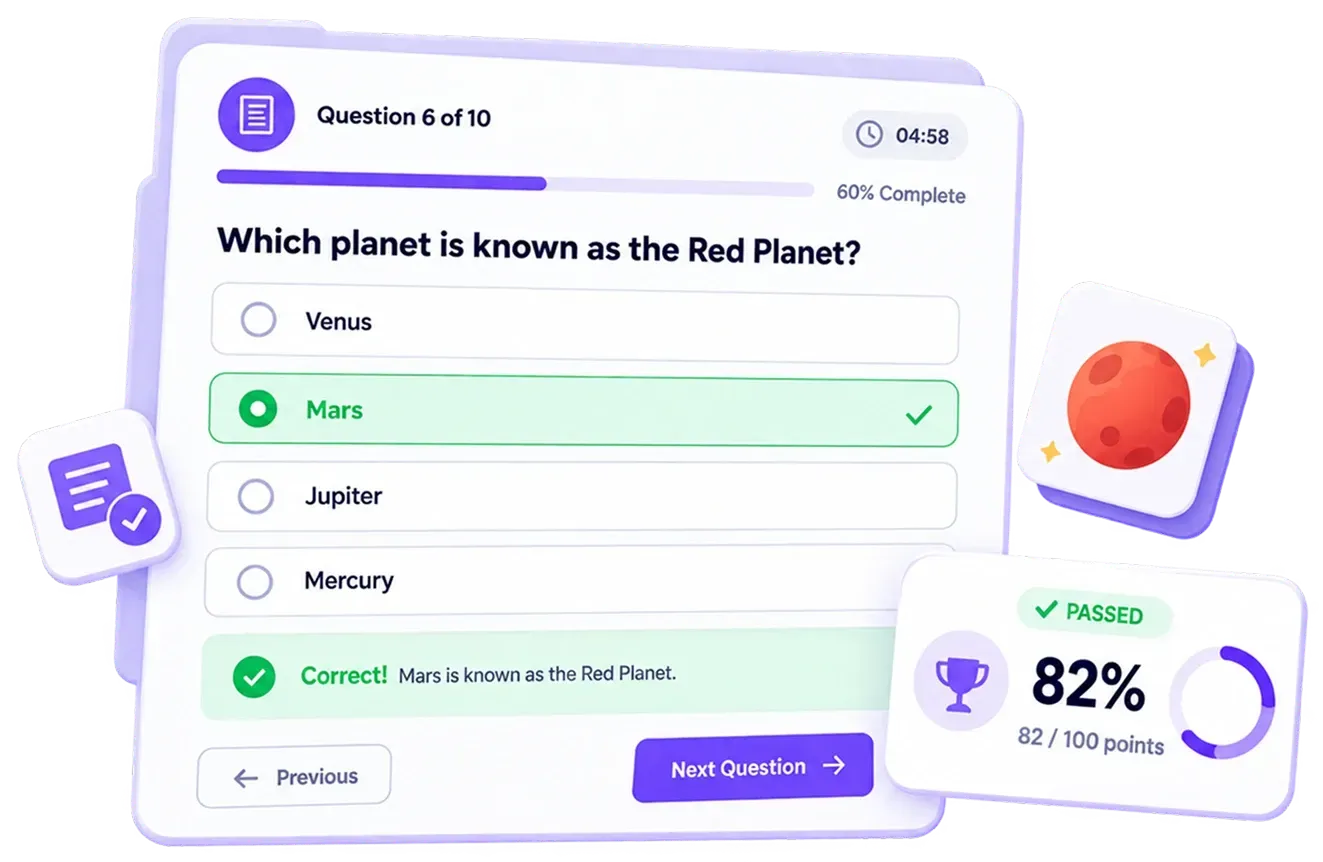
Build online assessments with scoring, timers, pass/fail rules, personalized results, and anti-cheat features—all without writing a single line of code.

Create professional assessments for education, hiring, training, and lead qualification.

Over 100+ Five Star Reviews

Create, Configure, Publish, and Analyze Assessments

Build assessments with your own questions, customize settings, share them with participants, and review results from one easy-to-use dashboard.

Create Your Assessment

Create Your Assessment

Build quizzes and assessments with your own questions and customize them based on your requirements. Add different question types, set scoring options, and create assessments for education, hiring, training, and other use cases.

Build quizzes and assessments with your own questions and customize them based on your requirements. Add different question types, set scoring options, and create assessments for education, hiring, training, and other use cases.

Gather every type of data
Smart Forms with Logic Jump

Configure Assessment Settings

Configure Assessment Settings

Adjust timing, rules, and security settings to control how participants complete your assessment. Set time limits, manage question order, control answer behavior, and add security measures for a more reliable testing experience.

Adjust timing, rules, and security settings to control how participants complete your assessment. Set time limits, manage question order, control answer behavior, and add security measures for a more reliable testing experience.

Publish & Share Your Assessment

Publish & Share Your Assessment

Share your assessment with participants using flexible options. Send a direct link, embed it on your website, display it as a popup, or generate a QR code that offline audiences can scan from printed materials, classrooms, events, or other physical locations.

Share your assessment with participants using flexible options. Send a direct link, embed it on your website, display it as a popup, or generate a QR code that offline audiences can scan from printed materials, classrooms, events, or other physical locations.

Instant Alerts to Stay Updated
Power Up with Integrations

Track Results & Analyze Performance

Track Results & Analyze Performance

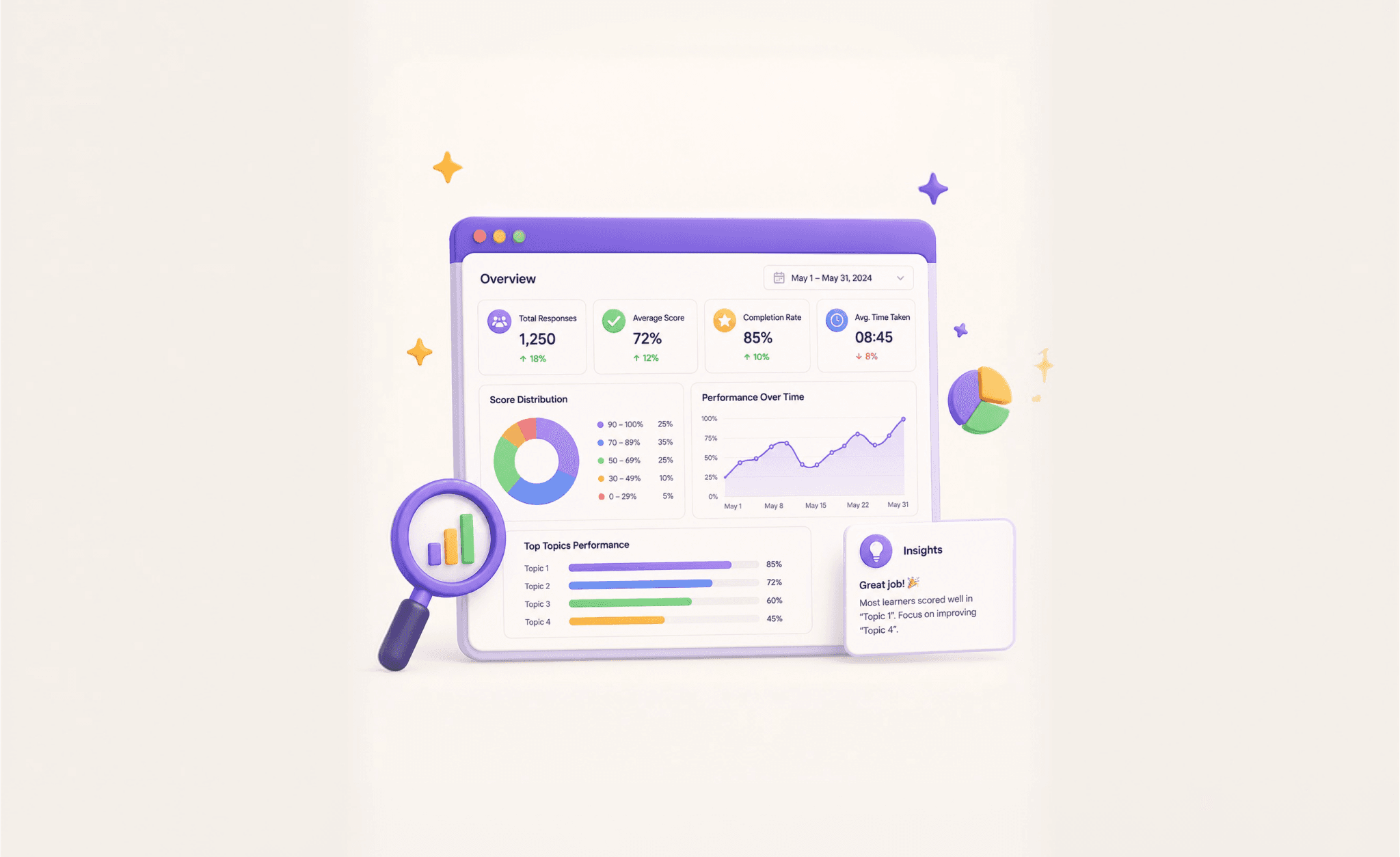
Review participant responses, scores, completion status, and assessment results from your dashboard. Export responses, analyze performance data, and monitor assessment outcomes.

Review participant responses, scores, completion status, and assessment results from your dashboard. Export responses, analyze performance data, and monitor assessment outcomes.

BENEFITS

Key Features

Build Graded Tests

Add points, scoring rules and pass/fail logic to build assessments with clear and accurate results. Participants can instantly see how they performed after completing the assessment.

Build Graded Tests

Add points, scoring rules and pass/fail logic to build assessments with clear and accurate results. Participants can instantly see how they performed after completing the assessment.

Assessment Timers

Add a time limit to your assessments to create a more structured, exam-like experience.

Assessment Timers

Add a time limit to your assessments to create a more structured, exam-like experience.

Add Logic Jumps

Show different questions or results based on each user's answers. Create personalized assessment experiences with easy-to-set logic rules.

Add Logic Jumps

Show different questions or results based on each user's answers. Create personalized assessment experiences with easy-to-set logic rules.

Provide Recommendations Based On Results

Use scores to guide users with personalized results, recommendations, and the right next steps.

Provide Recommendations Based On Results

Use scores to guide users with personalized results, recommendations, and the right next steps.

Penalty Scoring

Add penalty points for incorrect answers to reduce guessing and get more accurate assessment results.

Penalty Scoring

Add penalty points for incorrect answers to reduce guessing and get more accurate assessment results.

Instant Feedback

Provide instant feedback on correct and incorrect answers to help participants learn, stay engaged, and better understand each topic. 

Instant Feedback

Provide instant feedback on correct and incorrect answers to help participants learn, stay engaged, and better understand each topic. 

Question & Answer Summary

Review all questions and answers on the result page. Let participants see their responses, compare them with the correct answers (when enabled), and better understand their performance.

Question & Answer Summary

Review all questions and answers on the result page. Let participants see their responses, compare them with the correct answers (when enabled), and better understand their performance.

Assessment Controls & Rules

Lock selected answers, prevent users from going back to previous questions, randomize question order, and show correct answers instantly when needed.

Assessment Controls & Rules

Lock selected answers, prevent users from going back to previous questions, randomize question order, and show correct answers instantly when needed.

Security Measures & Anti-Cheat

Prevent unwanted actions and maintain fair testing conditions with features like tab switch detection, copy-paste restrictions, right-click blocking, and custom warnings.

Security Measures & Anti-Cheat

Prevent unwanted actions and maintain fair testing conditions with features like tab switch detection, copy-paste restrictions, right-click blocking, and custom warnings.

Dynamic Scoring and Results

Automatically generate pass/fail results, percentage scores, score-based categories, and personalized result pages based on participant performance. Help participants understand their results with clear score summaries, performance insights, and customized result pages.

Dynamic Scoring and Results

Automatically generate pass/fail results, percentage scores, score-based categories, and personalized result pages based on participant performance. Help participants understand their results with clear score summaries, performance insights, and customized result pages.

Mobile-Friendly Assessments

Create assessments that work smoothly across desktops, tablets, and mobile devices. Provide participants with a responsive experience that makes it easy to complete tests anytime, anywhere.

Mobile-Friendly Assessments

Create assessments that work smoothly across desktops, tablets, and mobile devices. Provide participants with a responsive experience that makes it easy to complete tests anytime, anywhere.

Export and Analyse Results

Download responses as CSV and analyze assessment data to better understand your audience. Easily filter, review, and share results with your team whenever you need.

Export and Analyse Results

Download responses as CSV and analyze assessment data to better understand your audience. Easily filter, review, and share results with your team whenever you need.

Integrate with your existing workflow

Connect with popular tools like Zapier, Make, Mailchimp, Klaviyo, ActiveCampaign, Omnisend, and more. Automatically send your assessment data to the platforms you already use.

Integrate with your existing workflow

Connect with popular tools like Zapier, Make, Mailchimp, Klaviyo, ActiveCampaign, Omnisend, and more. Automatically send your assessment data to the platforms you already use.

Performance Monitoring

Track user engagement and conversions with tools like Google Analytics and Meta Pixel.

Performance Monitoring

Track user engagement and conversions with tools like Google Analytics and Meta Pixel.

Global Ready and Accessible

Support RTL languages and keyboard navigation to create accessible assessments that are easy for everyone to use. 

Global Ready and Accessible

Support RTL languages and keyboard navigation to create accessible assessments that are easy for everyone to use. 

Common Use Cases


Process

How It Works


STEP 1

STEP 2

STEP 3

STEP 4

STEP 5

Quiz template

001

Choose a template or create your assessment from scratch.

Dummy:- With Quizify, designing a form becomes hassle-free. You can suit your form needs by choosing the number of questions for the form.

STEP 1

STEP 2

STEP 3

STEP 4

STEP 5

Quiz template

001

Choose a template or create your assessment from scratch.

Dummy:- With Quizify, designing a form becomes hassle-free. You can suit your form needs by choosing the number of questions for the form.

View participant scores, percentages, and detailed reports from your dashboard.

Ready to Create Better Assessments?

Create online assessments, quizzes, and certification tests with everything you need in one place. Add scoring, timers, pass/fail rules, personalized results, and detailed reports—all without writing a single line of code. From classrooms to workplaces, Quizify makes it easy to create assessments for every purpose.

Frequently Asked Questions

FAQs for Quizify's Assessment Builder


What is an online assessment builder?

An online assessment builder helps you create quizzes, tests, and certification exams online. You can add questions, set scoring rules, customize results, and share your assessment without any coding.

Can I create certification tests with Quizify?

Yes. Quizify lets you create certification tests with automatic scoring, pass/fail rules, timers, personalized results, and detailed reports. It's a simple way to run online certification programs.

Can I use Quizify for educational and business assessments?

Yes. Quizify is built for schools, colleges, businesses, training providers, HR teams, and anyone who wants to create professional online assessments with ease.

How can I share my assessment?

You can share your assessment with a direct link, embed it on your website, or send it through email and other channels. Choose the option that works best for your audience.

Can I use Quizify for hiring and employee assessments?

Yes. You can create pre-employment tests, employee skill assessments, training evaluations, and internal certification exams. Use scoring, timers, and pass/fail rules to evaluate candidates and employees with confidence.

What's the difference between an online quiz and an online assessment?

A quiz is usually used to test knowledge with simple questions and scores. An online assessment can include advanced features like pass/fail rules, timers, personalized results, and detailed reports, making it suitable for hiring, training, certification, and education.

Can I customize the passing score for my assessment?

Yes. You can set your own passing score, assign points to questions, and create custom pass/fail rules based on your assessment requirements.

Can I review responses after participants complete an assessment?

Yes. View individual responses, scores, percentages, and detailed reports from your dashboard. You can also export your results whenever you need them.

Can I add my own branding to an assessment?

Yes. Customize your assessment with your logo, colors, fonts, and other branding elements to create a consistent experience for your audience.

Do participants need a Quizify account to take an assessment?

No. Participants can open your assessment using the link you share. They don't need a Quizify account to complete it.