Client Onboarding Form
18 Min Read
Need help with client onboarding forms? Discover how intelligent funnels and automation make client intake easier and workflow better.
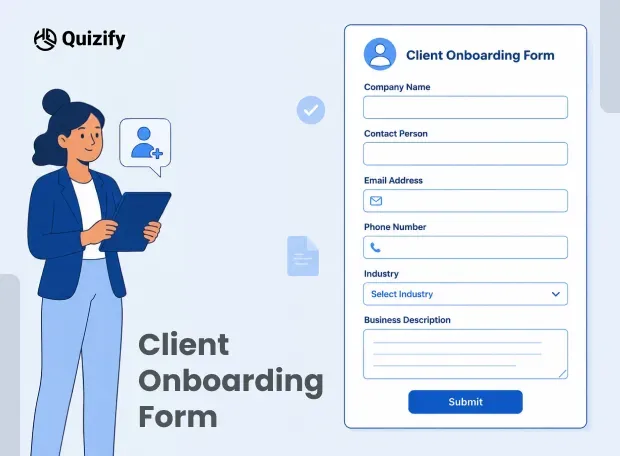
The client onboarding form is the first official step where a business collects all the required information from a new client before starting a project or service.
No more scattered emails, WhatsApp messages or long discovery calls, everything is collated in one organized flow.
This normally includes things like the background of the business, the project requirements, the goals, the budget range, the expectations of the timeline and sometimes even file uploads or references. The goal is simple: eliminate confusion and begin the project with clarity.
In traditional settings, this process is often slow and inconsistent. Clients forget to share important details, or teams have to follow up multiple times. This causes delays even before the actual work starts.
This is where Quizify becomes useful. Instead of using static forms, it turns onboarding into a guided experience.
The client doesn’t see everything at once. Instead, they move step-by-step through questions in a clean flow.
This small change improves response quality because users are more likely to complete a short, interactive flow than a long boring form. It also gives businesses structured data that is easy to use from the beginning.
Problems with Traditional Client Onboarding Methods
Most businesses still use outdated onboarding methods like PDFs, Google Forms, spreadsheets, or manual emails. These methods do work at a basic level, but they also bring a few hidden problems in real day-to-day work.
The biggest issue is lack of structure. Clients often send incomplete answers or skip important details simply because they are not guided properly. Because of this, teams end up going back and forth multiple times, which slows down the project kick off.
Another issue is user drop-off. Long forms usually feel heavy. When clients open a page and see too many questions at once, they often lose interest or just leave it halfway.
There is also a common problem of data inconsistency. One client may give long, detailed answers, another may reply in one word, and someone else may just upload random files. This makes it harder for teams to organise everything and actually use the information in a proper way.
With Quizify’s funnel builder, these problems become much easier to handle. Instead of giving the entire onboarding process in one long form, Quizify breaks it down into small and easy steps. Questions come up one at a time, making the whole experience feel lighter and easier to get through.
The logic jump feature makes a big difference here as well. It makes sure that clients view only questions that are relevant to them based on their prior selections. This takes out unnecessary steps and makes the onboarding more natural, smooth and truly relevant, not generic.
Key Components of a Good Client Onboarding Form
A strong onboarding form is not about asking more questions, but about asking the right questions, in the right sequence. Typical onboarding flow includes the following:
Client basic information (name, email, company)
Choosing project types
Business background
Objectives and anticipations
Price range
Timeframe or deadlines
Special requirements or notes
File uploads (optional)
Nothing complicated here.
This point is just to collect what is actually needed before starting the work.
Now when you use Quizify form builder, you don’t really have to build this in a boring static way. You can turn it into small steps so clients go through it one question at a time.
So instead of dumping everything on one page, you can use:
Multiple choice for service selection
Dropdowns for budget ranges
Text inputs for descriptions
File upload for references or design samples
Rating scales for preference understanding
It feels easier for the client because they are not looking at a long form. They just move step by step.
Another small but useful thing is progress tracking. It simply shows how much of the form is done. People usually continue when they see progress, instead of quitting halfway because they don’t know how long it is.
Quizify also lets you reuse onboarding templates. That helps when you are handling similar clients again and again. You don’t rebuild the form every time, just reuse it and make small changes where needed.
How Quizify Transforms Client Onboarding Experience
Quizify changes how onboarding feels. Earlier it was just a form where clients had to fill a lot of details. Now it feels more like a guided conversation.
The main change is the funnel-style experience. Clients don’t see everything at once. They just get one question, answer it, then move to the next. It feels simple that way and not overwhelming.
Because of this, people usually finish it more easily. They are not looking at a long list of questions, so they don’t feel stuck or confused in the middle.
Another thing is custom branding. Businesses can add their own logo, colors, and style. So the onboarding form doesn’t feel like some outside tool. It feels like part of the company itself.
Quizify also has AI-powered funnel creation. This just helps speed things up. Instead of building everything one by one, businesses can quickly create an onboarding flow based on their service type. For example, a digital agency can set it up and get a ready structure in a few minutes.
Overall, it just makes onboarding feel less formal and more smooth. Clients don’t feel like they are filling a long form, and businesses don’t waste time collecting the same details again and again.
Smart Logic and Personalization in Onboarding Forms
One of the strongest parts of Quizify is its conditional logic system. This is what allows onboarding forms to change based on what the user selects.
For example:
If a client selects an “E-commerce website,” then they’ll get questions about product count, payment methods, and shipping preferences. But if they choose “Personal blog,” those questions simply don’t show up, and instead they get questions related to content.
So the form doesn’t stay the same for everyone. It adjusts depending on what the client actually needs. That alone makes the process feel more relevant and less annoying.
This matters because every client is different. A single fixed form usually doesn’t fit everyone well. And when questions feel unnecessary, people tend to lose interest or just skip parts.
With Quizify, the form changes in real time. It feels less like filling a form and more like answering questions in a conversation or consultation.
Another useful thing is lead qualification during onboarding.
Businesses can quickly understand which clients are serious and which ones may not be the right fit. For example, if someone picks a low budget but a highly complex project, that can be flagged for review.
This actually saves a lot of time because teams don’t have to manually filter everything later. They can just focus on the clients that make sense for them.
Integrations That Make Onboarding Fully Automated
Quizify is not just a form tool, it connects with different tools so onboarding doesn’t need manual work anymore.
Some of the common integrations include:
Google Sheets for storing responses in real time
HubSpot CRM for managing leads and clients
Mailchimp/Klaviyo for email automation
Slack notifications for instant team updates
Google Analytics/Facebook Pixel for tracking conversions
Calendly/TidyCal for booking meetings after onboarding
Once a client completes the onboarding form, everything just moves on its own.
So in a normal setup, it would look something like this:
Client fills form in Quizify → data goes to CRM → email sequence starts → team gets Slack update no copying data. No switching tabs again and again. It just flows.
That’s the main point here.
It also avoids small mistakes that usually happen when someone is manually entering details or updating spreadsheets.
In simple terms, onboarding becomes something that runs in the background instead of something the team has to keep managing.
Templates, Analytics, and Real-Time Insights
Quizify has ready to use templates that allow businesses to build onboarding flows in a quick way. Instead of building everything from scratch, users can begin with a template and customize it to suit their needs.
These templates are useful for industries like:
Advertising agencies
Freelancer’s
The Coaches
SaaS firms
Design studios.
Another powerful feature is analytics tracking. Businesses can see:
Where users drop off
Which questions take longer
Completion rates
Overall funnel performance
This helps to improve onboarding forms over time. For instance, if users leave off at a budget question, that can be simplified to ranges instead of an open text response.
Quizify also provides a centralized dashboard where all the responses are kept in a well-organized way. This makes it simple for teams to quickly review client information without having to dig through emails or spreadsheets.
Conclusion
Client onboarding is often the first real interaction between a business and a client. If this step feels confusing or slow, it directly affects the overall experience.
Traditional onboarding methods are still common, but they are not really efficient anymore. They tend to be difficult to perform, take longer than they should and often result in incomplete or unclear data.
Instead of a basic form, tools like Quizify solve this by making onboarding more structured, interactive, and automated.
Quizify helps businesses collect better information without too much manual work with features like funnel builder, logic jumps, templates, integrations and analytics.
But the real change is how it feels for the client. Instead of going through a long boring form, the onboarding feels more like a simple, step-by-step conversation.
For modern businesses, this shift is actually important. A proper onboarding process not only saves time but also creates a strong first impression, which naturally sets the tone for the entire client relationship.
Similar Topic
Free Customer Feedback Survey Template
Getting started does not have to be complicated.Quizify includes a ready-to-use customer feedback survey template so you do not have to build one from scratch. It is designed to:



FAQ
Frequently Asked Questions
1. Can onboarding forms help reduce project delays?
Yes, they really can. When onboarding is structured, all the important information is collected right at the start. So teams don’t have to keep waiting or going back to clients for missing details, which naturally helps the work start faster.
2. Are onboarding forms useful for freelancers as well?
Yes, definitely. Freelancers often work directly with clients, so having a proper onboarding form helps avoid confusion. It makes it clearer what the client actually wants before the project begins.
3. How do smart onboarding tools handle incomplete responses?
They usually guide users step by step instead of showing everything at once. Some fields are also required, and logic-based flows help make sure important questions don’t get skipped.
4. Can onboarding forms be used for long-term client management?
Yes, they can. The information collected during onboarding can be used later as a reference. It helps when working on repeat projects or understanding client preferences over time.
5. Do onboarding forms improve client satisfaction?
Yes, because the whole process feels more organized and simple. Clients don’t feel confused or lost, and that creates a smoother and more professional experience overall.