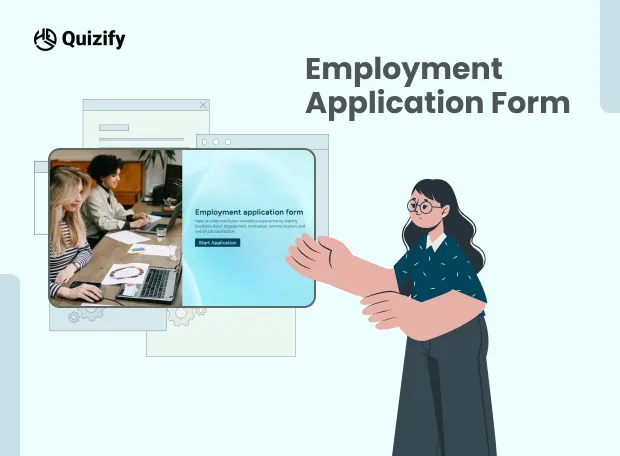
Employment Application Form
18 Min Read
Create a simple and professional employment application form to collect candidate details, work experience, qualifications, and job preferences efficiently.
No headings found on page
The right employees are the backbone of business growth, but traditional hiring processes are often slow and manual. Recruiters spend significant time managing resumes, reviewing applications, and handling follow-ups.
Employment application forms solve this by streamlining data collection and improving hiring efficiency through structured candidate inputs.
With Quizify, companies can build customizable online application forms using a no-code form builder, automation workflows, conditional logic, and pre-built templates. This helps teams collect structured candidate data, simplify screening, and manage the entire hiring process in one place.
Quizify supports startups, SMEs, and enterprises in building efficient hiring systems that save time and improve candidate quality.
What is an Employment Application Form?
An employment application form is a structured set of questions used by employers to collect consistent and comparable candidate information. It helps standardize hiring data so recruiters can evaluate applicants more efficiently.
Traditional hiring processes are often slow and repetitive. Recruiters spend significant time reviewing resumes, managing email applications, and following up manually. This leads to missed applications, incomplete data, and longer hiring cycles.
Online employment application forms solve these problems by centralizing candidate information and making the hiring process more structured and efficient.
With tools like Quizify, businesses can create interactive employment application forms that automate data collection, reduce manual effort, and improve hiring speed and accuracy. These forms help startups, SMEs, and enterprises build a more organized recruitment workflow and improve candidate quality.
Key Benefits of Interactive Employment Application Forms
A well-designed employment application form improves both hiring efficiency and candidate experience by simplifying the application process and reducing manual work for recruiters.
With Quizify interactive employment application forms, businesses can improve hiring outcomes in several ways:
Faster screening — Applications can be filtered using rules so recruiters don’t need to manually review every submission
Centralized data — All applications are stored in one Quizify dashboard for easy access and management
Better candidate experience — Step-by-step and conversational flows make forms easier to complete
Higher completion rates — Simplified and guided forms reduce drop-offs during applications
Reduced manual work — Automation handles sorting, tagging, and follow-ups
Mobile-friendly experience — Candidates can apply easily from any device
Consistent data format — Standardized responses make candidate comparison easier
These benefits are amplified through interactive forms, which guide users through a smoother, more engaging application experience compared to traditional static forms.
What Information Should an Employment Application Form Include?
When someone applies for a job, the form should only ask for basic details needed for hiring. If it becomes too long or asks unnecessary things, people often leave it halfway. If it is too short, hiring teams don’t get enough information.
So most job application forms stick to a few simple sections.
Section | What it collects |
Personal Information | Name, email, phone, address |
Work History | Past jobs and experience |
Education | Degree, certificates, qualifications |
Resume Upload | CV or documents |
Skills | Basic and technical skills |
Availability | When the person can join or work |
References | Contact of past employers or referees |
Portfolio Links | LinkedIn, website, or work samples |
Screening Questions | Questions to filter candidates |
Digital Signature | Consent or agreement |
Quizify lets businesses change these fields based on the job role. Different jobs can have different questions using simple templates and logic rules.
Create Smart Employment Application Forms with Quizify
Quizify helps businesses build employment application forms without coding using the Quizify Form Builder.
HR teams use it to collect job applications in one place. Instead of checking emails, sheets, and different files, everything comes into one dashboard and is easier to handle.
You can add different fields to collect the information you need from candidates:
Text fields for name, email, phone
Checkboxes for skills
File upload for CV or documents
Rating fields for skill level
Multiple choice questions for screening
Signature fields for consent
Conditional logic blocks to control flow
This is part of Quizify’s no-code form builder made for HR teams.
Use Conditional Logic for Smarter Hiring
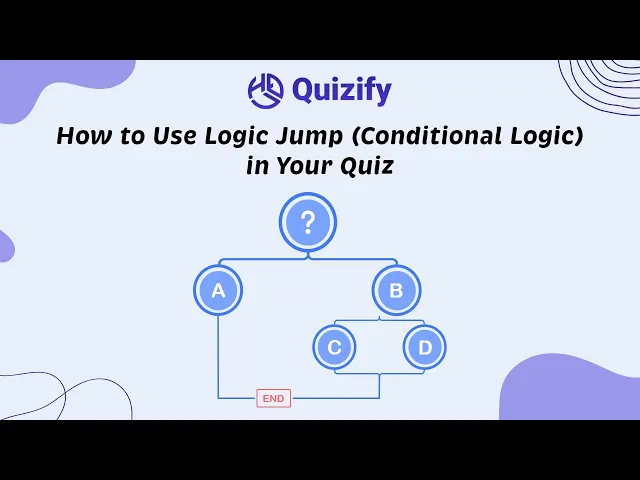
Quizify’s conditional logic feature ensures applicants see only relevant questions.
With this feature, businesses can:
Show senior-level questions only to experienced candidates
add technical questions for selected roles
skip parts that are not needed
filter weak profiles early
make different forms for different job roles
This keeps hiring simple and less time consuming for HR teams inside Quizify conditional logic.
Improve Candidate Experience with Interactive Forms
A poor application experience often leads to candidate drop-offs.
Quizify solves this using interactive employment application forms with:
Multi-step form layouts
Conversational question flows
Progress indicators
Personalized application paths
Mobile-optimized UI
Dynamic transitions
These features are part of Quizify’s user experience optimized form templates.
Mobile-Friendly Employment Application Forms
Today’s candidates often apply using mobile devices, so mobile optimization is essential.
Quizify ensures every employment application form works smoothly across:
Smartphones
Tablets
Desktop devices
All major browsers
This improves accessibility and supports Quizify mobile form builder capabilities.
Resume and File Upload Support
Recruiters need complete candidate profiles, not just basic information.
Quizify supports secure file collection including:
Resumes
CVs
Cover letters
Certifications
Portfolios
Identification documents
Supporting files
All uploads are securely stored within the Quizify data management system.
Automate Recruitment Workflows
Recruitment involves repetitive tasks that slow down hiring.
Quizify reduces manual hiring work using automation workflows.
Automation includes:
Instant confirmation emails
HR notifications
Applicant routing
Interview scheduling triggers
Candidate tagging
CRM updates
Internal alerts
Follow-up reminders
This connects with Quizify workflow automation system and external tools.
Powerful Integrations for Recruitment Teams
Quizify integrates with essential hiring tools:
Integration | Purpose |
Google Sheets | Store applicant data automatically |
Slack | Real-time hiring notifications |
Zapier | Workflow automation |
HubSpot | Candidate management |
Calendly | Interview scheduling |
Mailchimp | Email communication |
Make | Advanced automation |
Web hooks | Custom HR systems |
These are part of Quizify integrations marketplace for recruitment automation.
Employment Application Form Templates
Quizify provides ready-to-use employment application form templates to speed up hiring.
Templates include:
Corporate job applications
Retail hiring forms
Healthcare recruitment forms
Hospitality applications
Internship forms
Remote job applications
Franchise hiring forms
Freelance onboarding forms
Seasonal hiring forms
You can explore more in the Quizify templates library.
Employment Application Forms for Different Industries
Quizify supports industry-specific employment application forms:
Corporate Recruitment
Work history, qualifications, references.
Healthcare Hiring
Licenses and compliance documents.
Retail Hiring
High-volume screening workflows.
Hospitality Recruitment
Availability and service experience.
Remote Hiring
Remote readiness and communication skills.
Agency Recruitment
Multi-client hiring management.
Why Interactive Employment Application Forms Perform Better
Normal application forms are long. People open them, see everything at once, and many don’t finish it.
Interactive employment application forms work better because they don’t show everything together. It feels easier to go step by step:
One question at a time instead of full page form
Next question changes based on what user selects
Only relevant questions show, nothing extra
Progress feels small, so people keep going
Works better on mobile because it’s not heavy
Faster completion rate compared to long forms
This is part of Quizify interactive form experience system.
Organize Applications Efficiently
Quizify keeps all job applications in one place instead of scattered emails or sheets.
HR teams can handle things like:
filter applications based on job role, experience, or answers
tag candidates for shortlist or review
group applications by department or position
share selected candidates with team members
export data when needed for reports or external use
This removes manual checking and confusion. This is the Quizify applicant management system.
Improve Hiring Decisions with Analytics
Quizify analytics dashboard shows real usage data from the form, like:
How many people start vs how many actually finish
Where users are dropping out (which question)
Which step feels difficult or confusing
Mobile users vs desktop users breakdown
Conversion rate from start to submission
Engagement level inside the form flow
So teams can see where candidates are leaving and fix that part instead of guessing.
Secure and Professional Recruitment Process
Candidate data is stored safely. Quizify uses encrypted submissions so data is not exposed, access control so only allowed users can view it, secure cloud storage, GDPR-type handling, and protected applicant records. This is important because hiring data is sensitive.
Custom Branding for Employment Application Forms
Quizify allows full branding customization:
Logos
Colors
Fonts
Layout styles
Background design
Thank-you pages
This is part of Quizify white-label form customization.
Reduce Hiring Costs with Automation
Manual hiring takes time because teams repeat same work again and again like sorting applications, checking details, and shortlisting.
Quizify reduces this by:
automating application collection
reducing manual data entry
speeding up screening process
reducing paperwork and back-and-forth work
helping teams close hiring faster
Build Conversational Hiring Experiences
Quizify transforms forms into guided conversations using:
Interactive questions
Dynamic flows
Visual layouts
Personalized pathways
Engaging structures
This is part of Quizify conversational form builder.
Employment Application Forms for High-Volume Hiring
Large-scale hiring requires structured automation. Quizify supports high-volume recruitment for seasonal hiring, event staffing, retail expansion, franchise recruitment, warehouse hiring, and customer support teams. This ensures scalability without losing structure.
Why Businesses Choose Quizify
Businesses choose Quizify because it simplifies hiring while improving efficiency.
Key advantages include:
No-code form builder
Interactive application design
Smart conditional logic
Automation workflows
Mobile optimization
Integrations
Analytics dashboard
Templates library
Secure data handling
Scalable hiring systems
Quizify helps businesses modernize recruitment with structured, automated workflows.
Build Better Employment Application Forms with Quizify
Recruitment is not just about collecting resumes—it is about building structured hiring systems.
A well-designed employment application form helps businesses improve screening, reduce manual work, and enhance candidate experience.
With Quizify, companies can build automated workflows using Quizify forms, templates, integrations, and analytics to improve hiring decisions.
From startups to enterprises, Quizify helps modernize recruitment through scalable and structured hiring systems.
Start building smarter workflows with Quizify.
Similar Topic
Free Customer Feedback Survey Template
Getting started does not have to be complicated.Quizify includes a ready-to-use customer feedback survey template so you do not have to build one from scratch. It is designed to:


FAQ
Frequently Asked Questions
Do I really need an employment application form if I already accept resumes?
Yes. Resumes are unstructured. A Quizify application form standardizes candidate data for better comparison.
Will candidates feel the form is too long or complicated?
It depends on structure. Long static forms feel heavy, but step-by-step or interactive forms (like Quizify) make the same process feel shorter and easier to complete.
What if different job roles need different questions?
You don’t need separate systems. Forms can be adjusted per role so each applicant only sees relevant questions instead of a fixed template.
Can I still review candidates manually after using a form?
Yes. The form only organizes data. Final decisions still stay with your hiring team, but everything becomes easier to review in one place.
How do I prevent low-quality or irrelevant applications?
You can filter applicants using screening questions at the start of the form so unsuitable candidates are removed early in the process.
Is it suitable for small businesses or only large HR teams?
It works for both. Small teams use it to save time, while larger teams use it to manage high-volume hiring and multiple roles.
What happens if a candidate leaves the form halfway?
With structured or multi-step forms, drop-offs reduce. Many candidates return later if progress is saved or if the form feels short and guided.
Can this replace an ATS (Applicant Tracking System), or just support it?
It usually supports or enhances an ATS. It collects structured data that can also be pushed into your existing hiring tools.