Hotel Booking Form
18 Min Read
Create easy-to-use hotel booking forms to collect guest details, room preferences, stay dates, special requests, and payment information for a smooth booking experience.
A guest might like your rooms, pricing, and location, but the final decision usually comes down to one simple thing — how easy it is to book. If the process feels slow or unclear at any point, people often leave without completing it. That’s why having a good booking form really makes a difference.
Most travelers today don’t want a long or complicated process. They just want to pick their dates, choose a room, and move on. If there are too many steps, it becomes frustrating. A simple and clear booking form helps avoid that and also saves time for your staff.
Quizify makes it easier for businesses to create forms without needing any coding. It also supports AI-powered form building, so you can set things up faster. Instead of sticking with outdated formats, hotels can set up booking forms that feel smoother and more user-friendly. This can also help bring in more direct bookings.
In this guide, we’ll go over how a hotel booking form template works, what kind of details you should include, and how Quizify can help you improve your bookings.
What Is a Hotel Booking Form?
A hotel booking form is simply an online form that hotels, resorts, villas, or rental properties use to collect booking requests from guests. It gives people an easy way to enter their details directly on your website or landing page.
Instead of depending only on calls or emails, a structured hotel reservation form gathers all required information in one place. This helps reduce mistakes and saves time for both guests and hotel staff.
Most booking forms include the following details:
Booking Section | Purpose |
Guest Details | Name, email, phone number |
Stay Dates | Check-in and check-out dates |
Occupancy | Adults, children, rooms |
Room Choice | Preferred room type |
Extra Requests | Add-ons or notes |
When these sections are organized properly, the booking process feels simple and professional. A well-built reservation form for hotel bookings can also improve trust and increase completion rates.
Why Hotels Need an Online Booking Form?
Travelers compare multiple options before booking. If your process is difficult, they can leave your website in seconds. A modern hotel booking form online helps reduce that risk.
Manual systems often create delays. Staff may miss calls during busy hours, emails may be overlooked, and incomplete requests can slow follow-ups. A digital booking form solves these issues by collecting complete information instantly.
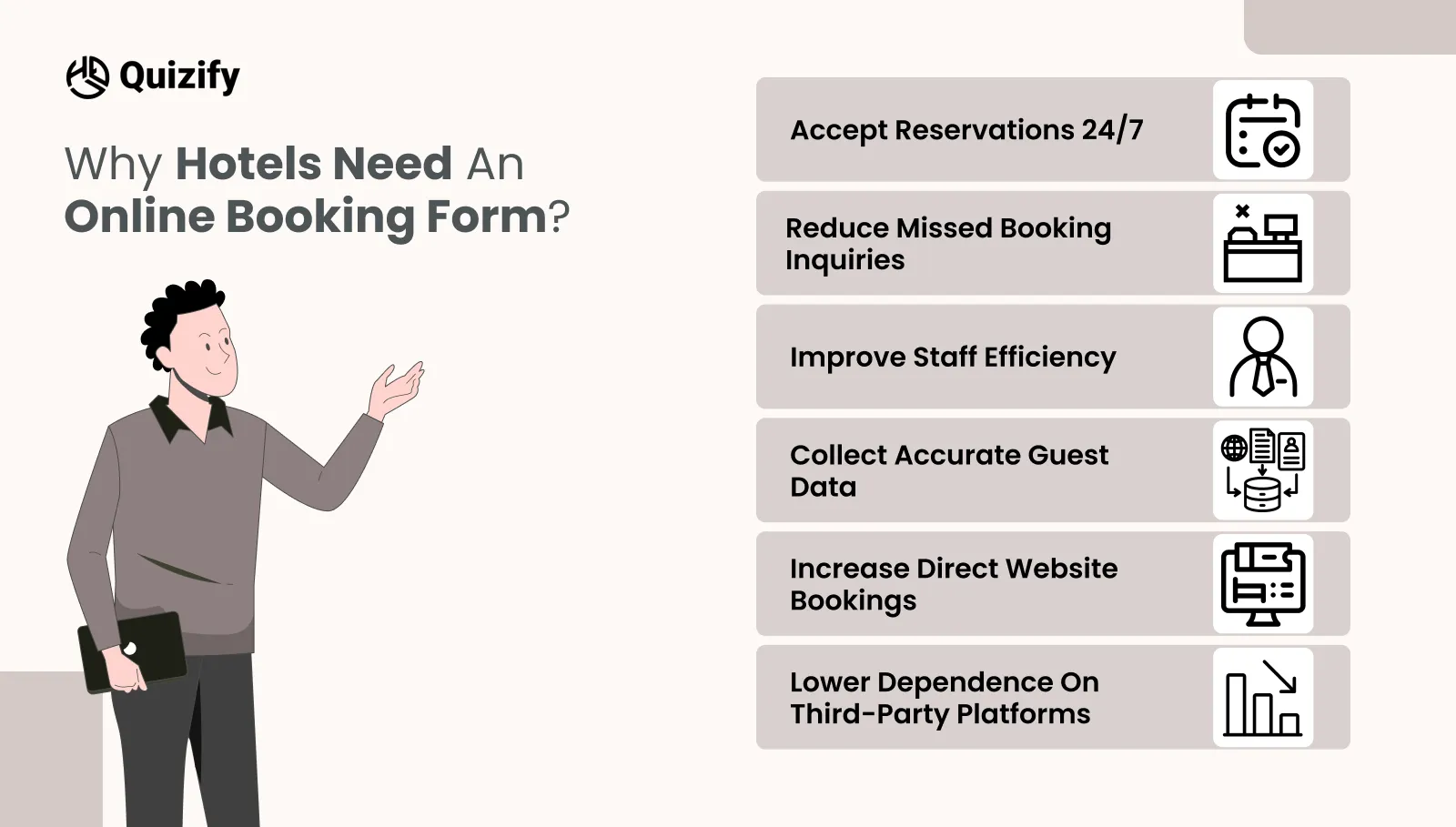
Hotels benefit in several ways:
Accept reservations 24/7
Reduce missed booking inquiries
Improve staff efficiency
Collect accurate guest data
Increase direct website bookings
Lower dependence on third-party platforms
These improvements matter for both small and large properties. A good hotel reservation form template creates a smoother path from interest to confirmed booking.
It also gives guests confidence because the process feels organized and reliable from the start.
Why Choose Quizify for Hotel Booking Forms
There are many tools out there that offer simple forms, but in most cases, hotels need something more flexible. Just collecting details is not always enough. Quizify is built around step-by-step flows and interactive form journeys, which works better for hospitality businesses.
Instead of showing everything at once, you can break the form into smaller steps. Guests answer one thing at a time, which feels easier and less stressful. Because of this, people are more likely to finish the booking instead of leaving halfway.
In most cases, the flow looks something like this — first the guest picks travel dates, then chooses a room, adds their details, selects any extras, and finally submits the request. It’s simple, and people don’t feel rushed or confused.
This kind of flow keeps things clear. It also avoids that “too many questions at once” feeling. Quizify also lets you adjust the look, add simple rules, connect with tools like Google Sheets or HubSpot, and track responses. So it’s not just about taking bookings, it also helps improve how the process works over time.
Key Features That Improve Hotel Bookings
A hotel booking form online should be easy for guests, but also make things smoother for your team. That balance matters more than people think.
For example, breaking the form into steps makes it easier to complete. Showing only the questions that matter keeps it shorter.
Making sure it works well on mobile is important too, since many people book from their phones. You can also match the form with your hotel’s style, which makes it feel more consistent.
Some forms also allow file uploads if needed, and send quick email alerts so your team can respond faster. Quizify also supports integrations with tools like Mailchimp, Slack, and CRM systems, so booking data can move automatically.
Small details can make a big difference. If someone selects airport pickup, you can ask for flight details right after. If they choose a family room, you can ask how many children are coming. It feels more natural that way.
What Information Should a Hotel Booking Form Include?
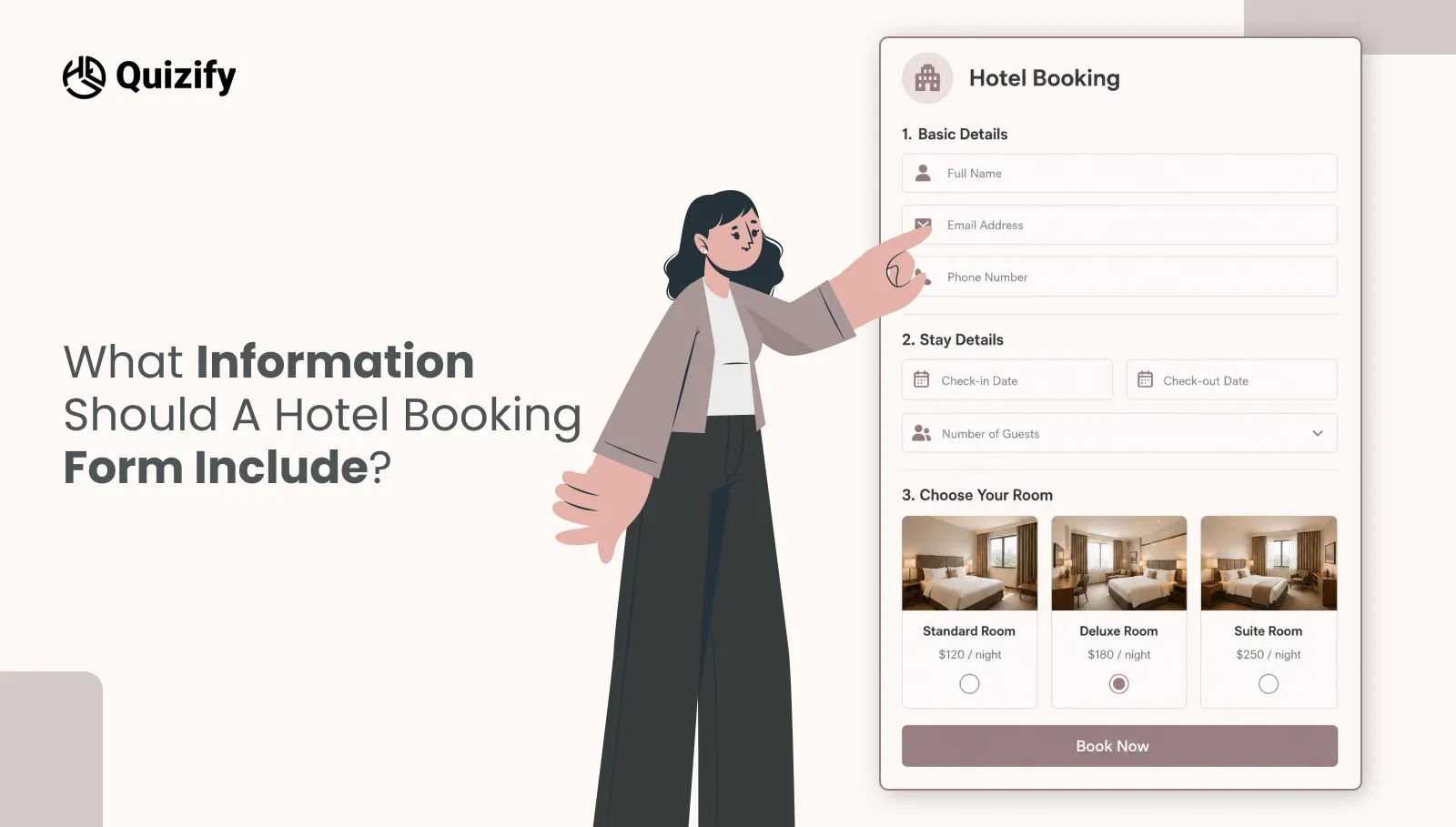
A good hotel booking form template should ask for the right details without making it feel long. If it feels like too much work, people may leave before finishing.
Start with simple things like name, email, and phone number. Then ask about travel dates and number of guests. After that, let them choose the room.
The main idea is to keep it easy. A online hotel booking form should not feel like a long task. If you ask too much at the start, it can reduce the chances of someone completing the booking.
How Multi-Step Forms Increase Completion Rates
Long forms often lead to drop-offs because people feel like it will take too long to finish. Multi-step forms fix this by breaking the process into smaller parts.
Instead of looking at one big hotel booking form, guests go through short and simple steps. It feels easier and more natural to complete.
A common structure includes:
Step 1: Select dates
Step 2: Choose room
Step 3: Add guest details
Step 4: Review and submit
This type of layout works well on mobile devices where there is less screen space. Progress indicators also help, as users can see how much is left to complete.
For hotels, this usually means more completed bookings and fewer people leaving halfway. That is why many businesses now choose multi-step hotel reservation form templates instead of old single-page layouts.
How Quizify Helps Increase Direct Bookings
Many hotels depend on travel platforms to get bookings, but these platforms often take commissions and limit direct contact with guests.
Having a branded hotel booking form online on your own website helps bring in more direct bookings. Guests can complete their booking without going to another site.
Strong placement areas include:
Website Area | Why It Matters |
Homepage | High traffic page |
Room pages | Users already looking to book |
Offer pages | Visitors interested in deals |
Contact page | People ready to book |
Direct bookings usually mean better profit and a stronger connection with guests.
Quizify helps hotels create forms that match their website style, which builds trust and keeps the experience consistent. A smoother booking process can also reduce the need to depend on third-party platforms over time.
Integrations That Support Hotel Operations
Booking forms work better when they connect with the tools your team already uses. Quizify supports integrations that make daily work and reporting easier.
Useful connections may include:
Google Sheets for booking records
CRM tools for guest management
Email tools for confirmations
Slack for internal alerts
Analytics tools for conversion tracking
Automation tools for workflows
For example, when someone submits a hotel booking form, their details can automatically appear in a spreadsheet and notify staff instantly.
This reduces manual entry and speeds up follow-up responses. Hotels often lose bookings because responses are delayed. Connected systems help teams react faster while staying organized. A smart hotel booking form template should not work alone—it should fit into the rest of your business process.
Best Practices for Better Booking Results
Even the best tool needs the right setup. Small changes can improve how your hotel reservation form performs.
Start by keeping the form short and clear. Ask only for essential information during the first steps.
Use these practical improvements:
Best Practice | Impact |
Clear field labels | Reduces confusion |
Mobile-friendly buttons | Easier phone use |
Date pickers | Faster selections |
Progress bar | Encourages completion |
Confirmation message | Builds trust |
Fast response time | Increases conversion |
It is also helpful to reassure users that their request has been received successfully.
A booking form should remove friction, not create it. When guests feel the process is simple, they are more likely to complete the reservation.
Why Quizify Is a Strong Long-Term Choice
Hotels often start with one form but later need more flexibility. They may launch seasonal packages, group stay offers, or special event campaigns. Quizify helps support that growth. with flexible form templates and reusable flows.
You can create different booking flows for different goals, such as:
Standard room reservations
Wedding guest accommodations
Corporate stay requests
Holiday package inquiries
Group travel bookings
This flexibility means hotels do not need to rebuild systems every time their offers change.
A scalable hotel booking form online saves time while keeping the guest experience consistent. As your property grows, the same platform can support more campaigns, more forms, and better automation.
That makes Quizify a practical option for businesses thinking beyond immediate bookings.
Conclusion
A booking form is one of the most important parts of your website because it turns visitors into paying guests. If the experience feels slow or outdated, many potential customers leave before booking.
The right hotel booking form template should be simple for guests, efficient for staff, and designed to increase direct reservations. It should collect the right information, work smoothly on mobile devices, and connect with your business tools.
Quizify helps hotels create exactly that kind of experience without coding. and without needing complex setup or tools. Whether you manage a boutique hotel, resort, villa, or guest property, you can build a smarter online hotel booking form that supports growth.
Improving your booking process can be one of the fastest ways to improve conversions and guest satisfaction.
Similar Topic
Free Customer Feedback Survey Template
Getting started does not have to be complicated.Quizify includes a ready-to-use customer feedback survey template so you do not have to build one from scratch. It is designed to:



FAQ
Frequently Asked Questions
Can I create a hotel booking form without coding?
Yes. Quizify allows you to create and customize forms without technical skills.
Is Quizify good for mobile hotel bookings?
Yes. Forms are mobile-friendly and designed for smooth booking experiences on phones and tablets.
Can I collect special guest requests?
Yes. You can add custom fields for airport pickup, celebration setups, dietary needs, and more.
Can small hotels use Quizify?
Yes. Quizify is suitable for boutique hotels, guest houses, villas, and growing hospitality businesses.
Can I use multiple booking forms?
Yes. You can create different forms for rooms, offers, events, or seasonal packages.