Free Consultation, No-Show: How a Pre-Call Form Can Improve Client Commitment
Marketing and Promotion
12 Min Read
Improve client commitment with a simple pre-call form that sets expectations, gathers key details, and ensures better-prepared consultations.
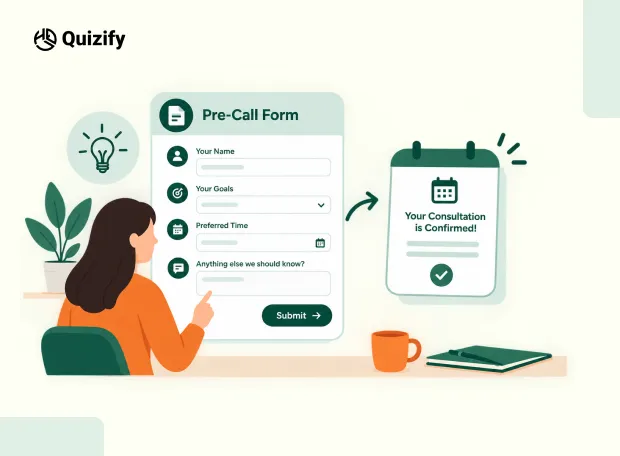
A free consultation can be easy to book. That is not always a good thing. Someone may choose a time, receive a calendar invite, and still forget about the call before the meeting starts. A booked slot shows interest, but it does not tell you much about the person, their needs, or how serious they are about the conversation.
A pre-call form adds one small step before the consultation.
Instead of going straight from “Book a free call” to a calendar confirmation, the prospect answers a few relevant questions first. This gives the business some context and gives the prospect a clearer reason to prepare for the conversation.
It will not prevent every no-show. But it can make the booking process more structured and give your team more information to work with.
Why Add a Form Before a Consultation?

The main purpose of a pre-call form is not to create more work. It is to collect information that would otherwise take up the first few minutes of the call.
For example, a consultant may want to know:
What does the prospect need help with?
Which problem are they trying to solve?
What have they tried already?
When do they want to get started?
These questions give the consultant a starting point. Current pre-call questionnaire examples from Jotform use fields for contact details, the reason for the call, goals, challenges, previous solutions, and additional notes. Its recent consultation and coaching templates follow a similar structure.
The idea is simple: collect the information that makes the actual conversation more useful.
What Should a Pre-Call Form Ask?
The questions depend on the type of consultation. A coach may need to understand a client's goals and current challenges. An agency may need information about the company, service required, timeline, or project scope.
A simple starting structure could look like this:
Area | Example Question | Purpose |
Contact | What is your name and email? | Identify the prospect |
Main need | What would you like help with? | Understand the reason for the call |
Current problem | What is the main challenge right now? | Get basic context |
Goal | What would you like to achieve? | Understand the desired outcome |
Timeline | When would you like to get started? | Understand urgency |
Service | Which service are you interested in? | Direct the conversation |
Additional details | Is there anything we should know before the call? | Give space for extra context |
You do not need every question. Choose the ones that your team would actually use during the consultation.
Keep the Form Short
A pre-call form should not become a full client intake form unless there is a clear reason for it.
Long forms can add friction before the consultation. That is why the questions should stay focused on the upcoming conversation.
For example, a marketing consultant may only need:
What is your main marketing challenge?
How are you currently generating leads?
Which area would you like to improve?
When would you like to start?
That may be enough to prepare for the call. If more information is needed later, collect it after the prospect has moved further into the process.
Show Different Questions Based on the Answer

A consultant may offer several services.
For example:
What do you need help with?
Lead generation
Website
Marketing strategy
Something else
Someone choosing Lead generation could then see questions about their current lead sources.
Someone choosing a website could see questions about their website goals.
This keeps the form relevant without showing every prospect the same questions.
Quizify's Logic Jumps can be used to create these different paths. The funnel can change based on a person's previous response, so the next question is more relevant to their situation.
That can be useful when one consultation process covers different services or customer types.
Where Should the Booking Happen?
Form Before Booking
Landing page → Pre-call form → Qualification → Booking
This works when you need some information before giving someone a consultation slot.
For example, a consultant can ask about the prospect's needs and timeline first. The booking step can then follow.
Booking Before Form
Landing page → Booking → Pre-call form → Confirmation
This works when the consultation is open to a wider audience and the main goal is to collect information before the meeting.
Neither setup works for every business. The important part is making the next step clear.
Quizify supports scheduling through Calendly and TidyCal, so the consultation booking step can be connected to the funnel. This lets businesses build the form and scheduling process as part of the same journey.
Make the Form Part of the Consultation
The best questions should lead naturally into the call.
For example:
Pre-call question:
“What is the biggest challenge you want to solve?”
During the consultation, the discussion can start with that challenge instead of spending several minutes finding out why the person booked. The form can also help the prospect think about what they want from the call.
That makes the form more than a data collection step. It becomes part of the preparation.
Add a Clear Confirmation
After a person completes the application, inform them about the upcoming features.
An easy verification can consist of:
Date and time of the meeting
Zoom link of the meeting
Basic topics of discussion during the meeting
Relevant preparations required before the call
Rescheduling procedures, if necessary
If a booking occurs after filling in the application, clients will be sent directly to the booking stage.
In case a client has booked an appointment earlier on, the confirmation message should acknowledge their application and remind them about the meeting.
Quizify offers a variety of email alerts and workflows for submission tracking so that an application response will be communicated to the necessary individuals right after filling in the application.
Connect the Form to Your Existing Tools
A pre-call form becomes more useful when the information can move into the tools your team already uses.
For example:
Tool | Possible Use |
Calendly / TidyCal | Schedule the consultation |
HubSpot | Add consultation leads to a sales workflow |
Google Sheets | Review and organize responses |
Mailchimp / Klaviyo / ActiveCampaign | Send follow-up emails |
Zapier / Make | Automate actions after submission |
Slack / WhatsApp | Send internal or team notifications |
Google Analytics / Facebook Pixel | Track funnel activity |
These integrations can help reduce manual work between the form submission, follow-up, and consultation. The exact workflow will depend on how your business handles leads.
Which Quizify Builder Fits the Job?
Each funnel is not the same for every consultation.
Quizify Product | Useful When |
Form Builder | If you’re primarily collecting client data, intake questions, contact details or project information |
Quiz Builder | If you want an interactive qualification process or steer prospects according to their responses |
Survey Builder | If you wish to collect preferences, expectations or larger feedback before consulting |
Assessment Builder | If you have a structured or graded assessment as a part of the consultation |
In a regular pre-consulting process, Form Builder is typically the best option available.
If prospects have to answer varied questions according to their needs, Quiz Builder offers more possibilities for an interactive experience.
If there is a real assessment in the consultation, Assessment Builder should be used only.
Track Where People Leave
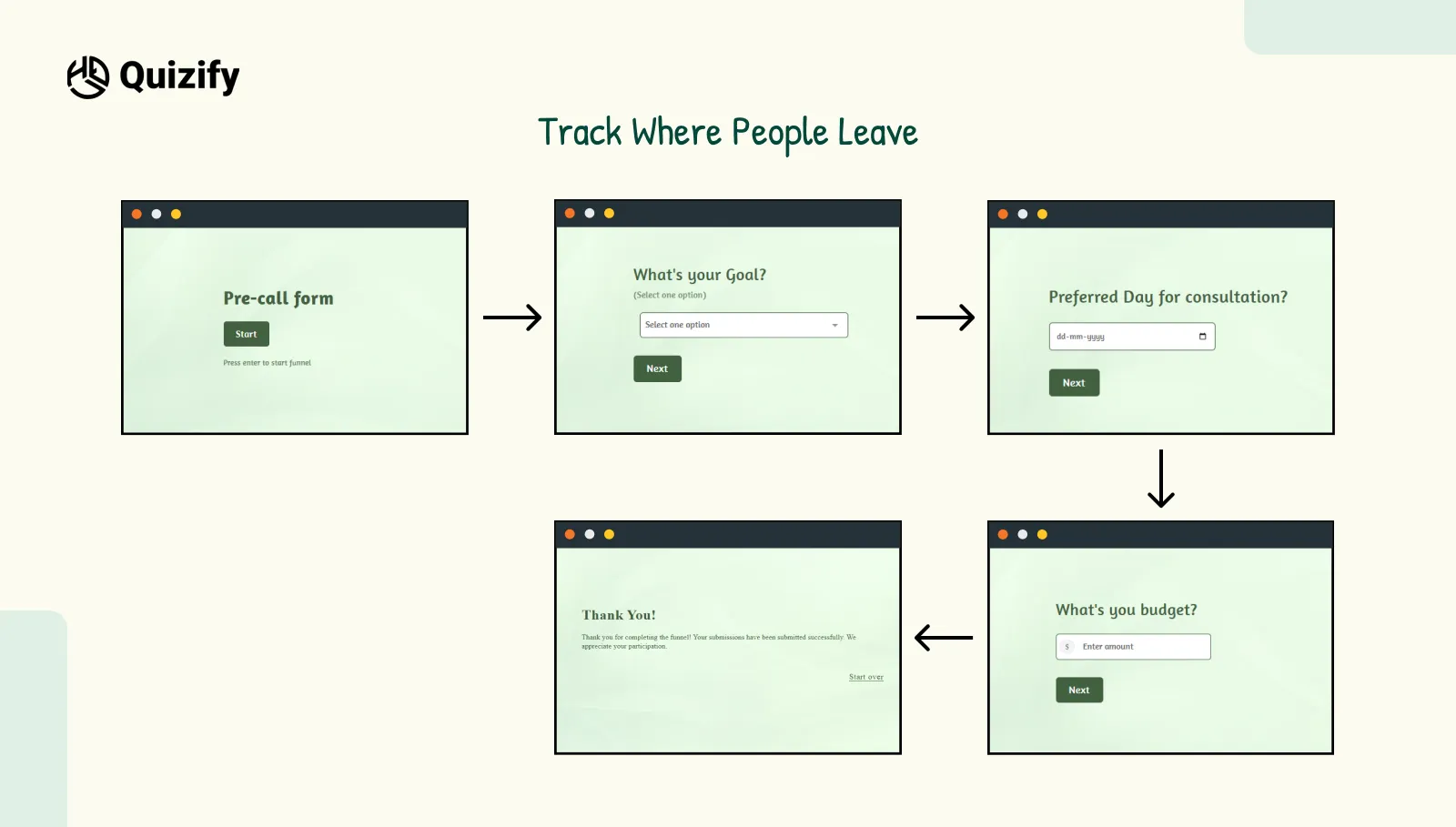
Adding a form gives you another step to monitor. If many people start but do not finish, check where they leave.
For example:
Form opened → Question 1 → Question 2 → Budget question → Exit
That does not automatically mean the budget question caused the drop-off. But it gives you a place to investigate.
You could test whether the question is:
Too early in the form
Too difficult to answer
Not necessary
Better as a multiple-choice question
Better as an optional field
Quizify's analytics can help you review responses and identify where users drop off in a funnel. Its Quick Start Guide specifically recommends checking participant activity, Logic Jumps, results, and drop-offs after publishing.
Start With a Quizify Template

You do not have to build the entire consultation funnel from scratch.
Quizify's current template library includes Form, Quiz, Survey, and Assessment templates. It currently lists templates such as IT Consultation Intake Form, Design Project Inquiry Form, Career Coaching Quiz, and Solar Readiness Assessment Quiz.
For a consultation workflow, you could start with an intake or inquiry template and replace the questions with ones that match your service.
For example:
IT Consultation Intake Form
A starting point for technology consultants or service providers who need basic information before a consultation.
Design Project Inquiry Form
Useful when the first conversation depends on project requirements and scope.
Career Coaching Quiz
A starting point for coaches who want a more interactive way to understand a prospect.
The template does not have to match your business exactly. It only needs to give you a starting structure.
Pre-Call Form Template You Can Start With
Here is a simple structure you can adapt:
1. Contact Details
Full Name* (Required)
Email Address* (Required)
Company Name
Website URL
2. Reason for the Call
What would you like help with?
3. Current Challenge
What is the main problem you are facing right now?
4. Desired Outcome
What would you like to achieve from this consultation?
5. Timeline
When would you like to get started?
As soon as possible
Within the next month
Within 3 months
Just exploring options
6. Additional Information
Is there anything else you would like us to know before the call?
7. Booking
Choose a suitable time for your consultation. This is enough for many basic consultation flows. Add more questions only when they help your team prepare or qualify the request.
Resources for Building the Funnel
If you want to build this type of experience with Quizify, these resources can help:
Quizify Templates — Browse current Form, Quiz, Survey, and Assessment templates and customize one for your use case.
Quizify Quick Start Guide — Covers creating, testing, publishing, Logic Jumps, results, and analytics.
Calendly / TidyCal integrations — Useful when scheduling needs to be part of the consultation flow.
Quizify Analytics — Review responses and drop-offs after the funnel is live.
You can also look at current consultation-form examples from Jotform for ideas on the types of information businesses collect before discovery calls. Its recent templates include questions around goals, challenges, scheduling, and additional notes.
A Simple Flow to Try
For a service business offering free consultations, the process can stay simple:
Landing Page
↓
Pre-Call Form
Name → Need → Challenge → Goal → Timeline
↓
Relevant Questions
Use Logic Jumps when different prospects need different questions.
↓
Booking
Connect Calendly or TidyCal.
↓
Confirmation
Share the meeting details and any preparation needed.
↓
Consultation
Use the submitted information to start the conversation. This does not guarantee that every booked prospect will attend.
What it does is give the booking process another useful step. The prospect has explained why they want the call, while the business has some context before the meeting begins.
The Form Should Have a Purpose
A pre-call form is not about adding more fields before someone can book. It is about making the consultation process clearer.
Start with the questions your team normally has to ask at the beginning of a call. Remove anything that does not help with the conversation. Then decide whether those questions should appear before booking or after it.
For a simple intake, Form Builder may be enough. For a more interactive qualification process, Quiz Builder can guide prospects through different paths. Survey Builder and Assessment Builder can fit when the consultation requires feedback or a structured assessment.
The main question is simple:
What does your team need to know before the call?
Build the pre-call form around that answer, keep it focused, and connect it to the rest of your consultation workflow.
Join our newsletter list
Sign up to get the most recent blog articles in your email every week.
Similar Topic
Related Blogs


FAQ
Frequently Asked Questions
Can I collect client details before a consultation?
Yes. You can use Form Builder to collect contact details, project details, and a few questions before the call.
Can I show different questions based on the answers?
Yes. With Logic Jumps, you can show different questions based on what someone answers. This helps keep the form relevant to each person.
Which Quizify Builder should I use for a consultation form?
Form Builder works well if you mainly need to collect client details, intake questions, or project information before the call.
Can I use a quiz to qualify people before a consultation?
Yes. You can use Quiz Builder to ask qualification questions and show different results based on the answers.
Can I send people to a booking page after they complete the form?
Yes. You can use redirects or CTAs to send people to the next step, such as a booking page, after they complete the funnel.