Pass/Fail vs Score Ranges: How to Choose the Right Result for Your Assessment
Engagement Strategies
12 Min Read
Compare pass/fail results and score ranges to understand which assessment result format best fits your goals. Learn when to use each approach to deliver clear, meaningful results to participants.
An assessment can have good questions, clear instructions and a smooth design, but the result logic still needs to make sense. If the result does not match the purpose of the assessment, even a well-built test can give confusing outcomes.
For example, a safety test may only need to tell someone whether they passed. A skills test may need to identify a specific outcome based on several performance levels. A diagnostic assessment may need to categorize participants based on their scores.
Quizify Assessment Mode is separate from Quiz, Form and Survey. It is made for tests and assessments where you need correct answers, points, scores, passing marks and score-based results.
Assessment Mode supports Pass/Fail and Score Range Categories.
So, if you are setting up a Quizify Assessment, the main choice is between Pass/Fail and Score Ranges.
What Are Pass/Fail and Score Ranges?
Result logic | What it looks at | Best for | Example |
Pass/Fail | Whether the score reaches a set threshold | Exams, compliance tests, certifications | 70% or more = Pass |
Score Ranges | Where the final score falls within a defined range | Skill levels, grading, training | 80–100% = Advanced |
Both are based on the assessment score. The difference is how that score is converted into the final result.
When Pass/Fail Is the Better Choice
Some assessments do not need several result categories. They only need a clear decision.
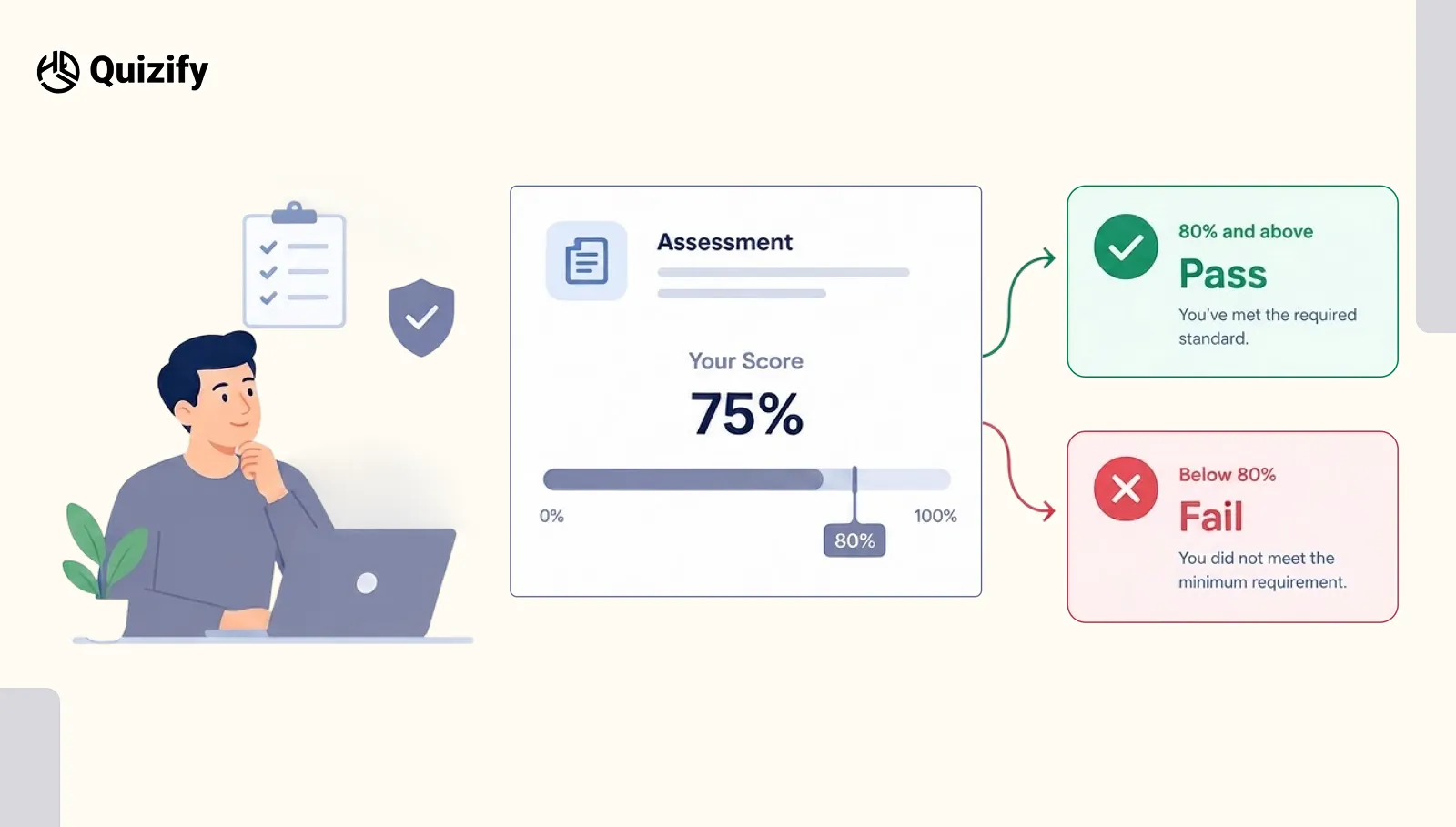
For example, imagine an employee completes a workplace safety assessment. The company has decided that employees must score at least 80% before they can complete the training.
A simple result works best:
80% and above → Pass
Below 80% → Fail
Quizify Assessment Mode lets you set a minimum passing score using percentage-based or point-based scoring.
Why Use a Pass/Fail Result?
A Pass/Fail assessment works well when there is a clear minimum requirement.
Common examples include:
Employee training tests
Compliance assessments
Certification exams
Knowledge checks
Hiring assessments
Course completion tests
Internal company tests
The biggest advantage is clarity. Participants immediately know whether they met the required standard.
Example of a Pass/Fail Assessment
Suppose you create a 20-question test. Each correct answer is worth one point, giving a maximum score of 20. You decide that participants need 16 points to pass.
The result would be:
Score | Result |
16–20 | Pass |
0–15 | Fail |
There is no need for categories such as Beginner, Intermediate or Advanced because the assessment has one main purpose: determining whether the participant reached the required level.
Tip: Use Pass/Fail when the decision is more important than the exact level of performance. |
When Score Ranges Make More Sense
Not every assessment has one simple pass-or-fail outcome. Sometimes you want to show different levels of performance. This is where Score Ranges are more useful.
For example:
Score | Result |
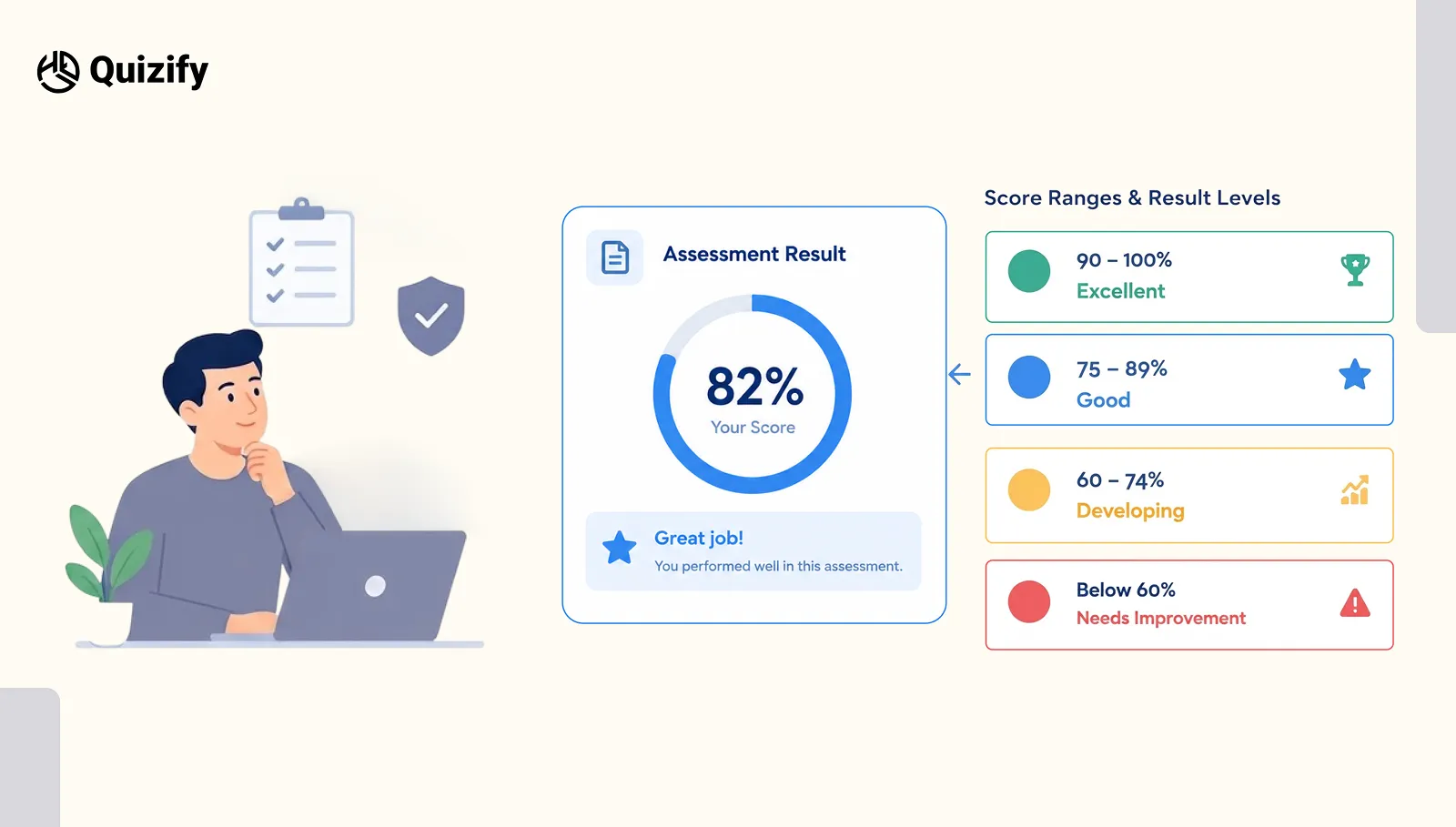
90–100% | Excellent |
75–89% | Good |
60–74% | Developing |
Below 60% | Needs Improvement |
Instead of simply telling participants whether they passed, the result explains where their performance falls on a scale.
Quizify Assessment Mode supports multiple score-based result categories. You can define different score ranges and connect them to different outcomes.
Why Choose Score Ranges?
Use Score Ranges when performance has several meaningful levels.
They work particularly well for:
Skills assessments
Training evaluations
Knowledge tests
Readiness assessments
Level-based exams
Employee assessments
Educational tests
For example:
Your score is 82%. Your result level is Advanced.
This gives the participant more useful information than a score alone.
Keep Your Score Ranges Clear
One common problem with score range logic is leaving gaps between ranges.
For example:
0–49 = Beginner
50–69 = Intermediate
71–100 = Advanced
What happens to someone who scores 70?
There is no matching result.
A better setup would be:
0–49 = Beginner
50–69 = Intermediate
70–100 = Advanced
Your ranges should cover every possible score so that every participant receives a result.
Tip: Before publishing, test the lowest, middle and highest possible scores, as well as scores directly on each boundary.
Pass/Fail vs Score Ranges
The easiest way to choose between the two is to consider what you want the final result to communicate.
Factor | Pass/Fail | Score Ranges |
Main purpose | Make a decision | Show performance level |
Uses total score | Yes | Yes |
Uses thresholds | Yes | Yes |
Number of outcomes | Usually two | Multiple |
Best for exams | Excellent | Good |
Best for training levels | Limited | Excellent |
Best for detailed feedback | Limited | Excellent |
Easy to understand | Very easy | Easy |
Available in Assessment Mode | Yes | Yes |
How Quizify Handles Assessment Scoring
Quizify Assessment Mode is designed specifically for testing and evaluation. You can assign correct answers and point values to supported question types, including Single Selection, Multiple Selection and Yes/No questions.
The platform calculates the participant's result after submission. Optional penalty points can also be used when incorrect answers should affect the score.
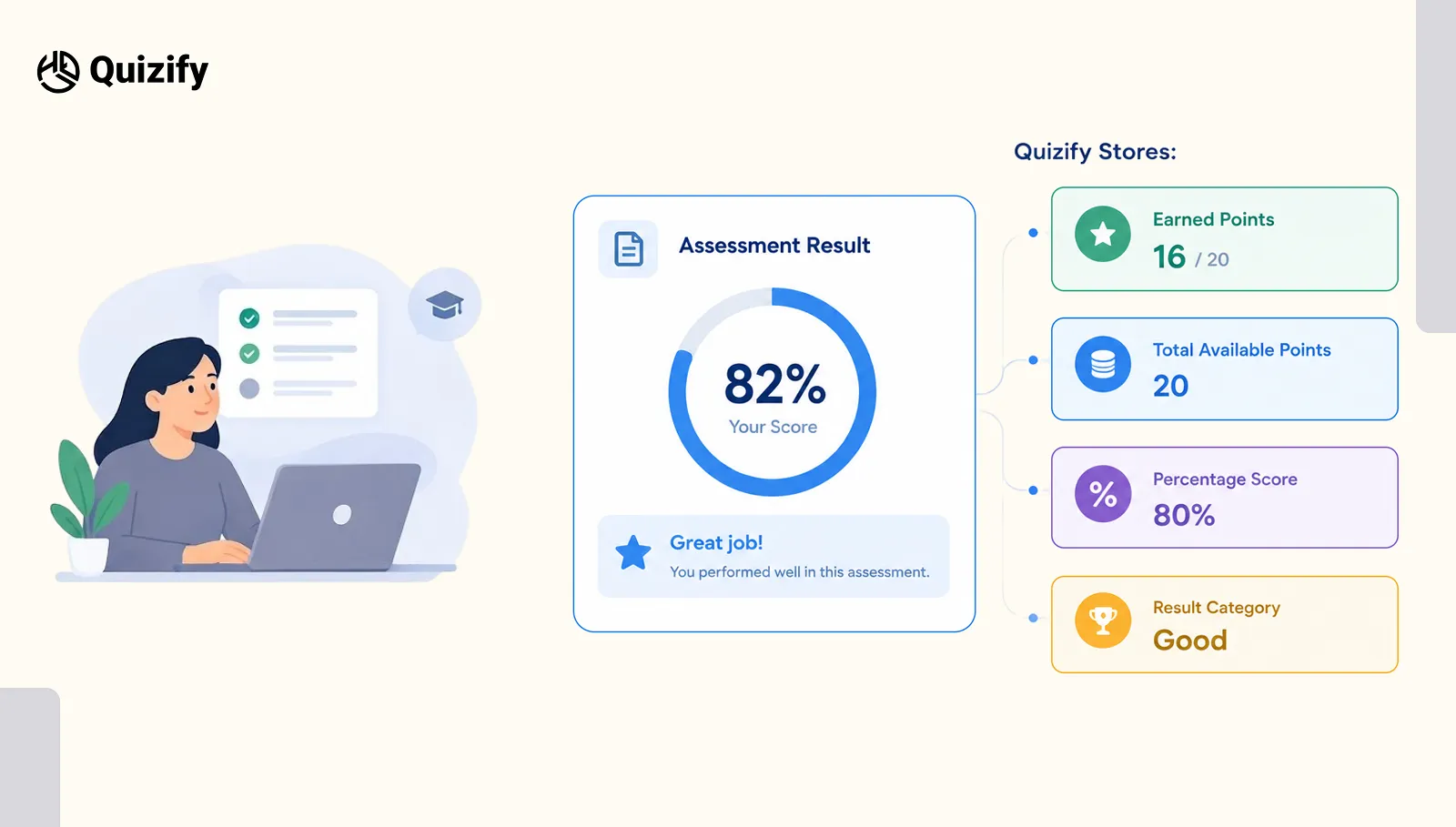
Quizify can store assessment information such as:
Earned points
Total available points
Percentage score
Result category
For Assessment Mode, the result setup is based on the assessment score. You can use a Pass/Fail threshold or score range categories, depending on what you want the result to communicate.
A Simple Way to Choose Your Result
1. Do You Only Need to Know Whether Someone Met the Standard?
Choose Pass/Fail.
For example:
“Employees must score at least 80% to pass the safety test.”
If 80% is the only important benchmark, there is no need for several performance levels.
2. Do You Need to Show Different Performance Levels?
Choose Score Ranges.
For example:
“I want to classify participants as Beginner, Intermediate or Advanced.”
The participant's final score determines which result category they receive.
3. Do You Need More Detailed Feedback?
Score Ranges are usually the better choice when the difference between a low, medium and high score matters.
For example, someone scoring 95% and someone scoring 62% may both technically pass, but their results could represent very different levels of knowledge or readiness.
Common Mistakes When Setting Assessment Results
Using Pass/Fail When Performance Has Several Meaningful Levels
If someone scores 95% and another person scores 70%, calling both “Pass” may hide useful information.
If those differences matter, use Score Ranges instead.
Creating Too Many Score Categories
You may be tempted to create many result levels, but too many categories can make results harder to understand.
Keep the number of ranges connected to meaningful differences in performance.
Forgetting Boundary Scores
Always test the exact points where one result changes into another.
For example, if your ranges are:
0–59
60–79
80–100
Test scores of 59, 60, 79 and 80.
This simple check can catch result errors before participants see them.
Configure Assessment Settings for the Participant Experience
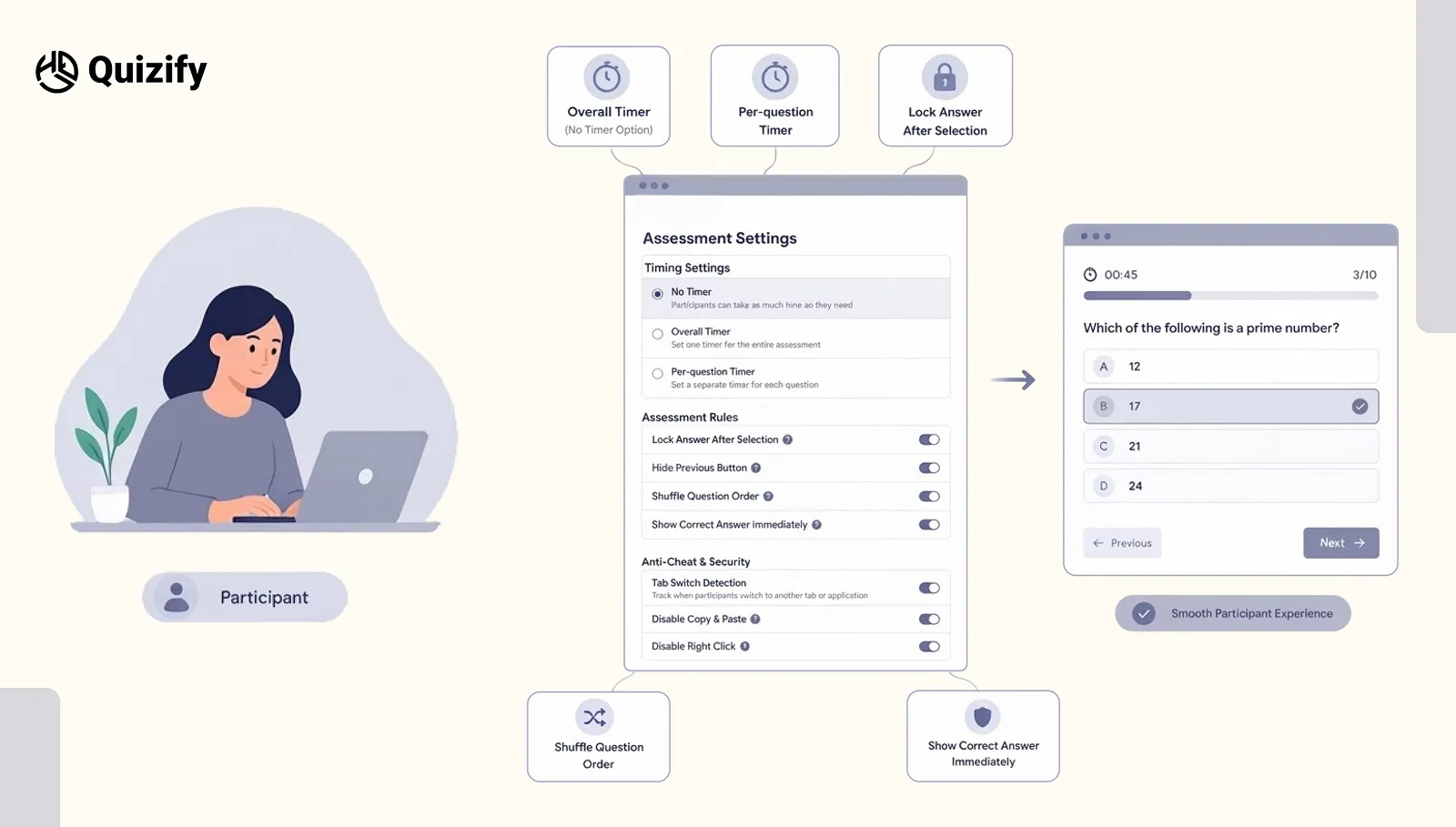
The result mode determines the outcome, but Assessment Settings also control how participants move through and complete the assessment.
Quizify Assessment Mode provides settings such as:
No Timer – Participants can take as much time as they need.
Overall Timer – Sets one timer for the entire assessment.
Per-question Timer – Sets a separate timer for each question.
Lock Answer After Selection – Controls answer behavior after a participant makes a selection.
Hide Previous Button – Controls whether participants can return to previous questions.
Shuffle Question Order – Randomizes the question order.
Show Correct Answer Immediately – Shows the correct answer after confirmation.
These settings control the assessment experience and are separate from the final score result logic.
Build the Result Logic Before Writing the Assessment
A useful approach is to decide the result structure before creating all your questions.
Start with the final outcome.
For a pass/fail assessment:
Goal: Check whether new employees understand company policies.
Result: Pass or Fail.
Passing score: 80%.
For an assessment where performance levels matter:
Goal: Identify training level.
Results: Beginner, Intermediate and Advanced.
Logic: Score Ranges.
This approach helps ensure that the questions measure what the final result is intended to communicate.
What Should You Choose for Your Quizify Assessment?
Choose Pass/Fail When:
There is one clear minimum standard.
The participant either meets the requirement or does not.
You are running an exam or compliance test.
You need a straightforward decision.
The exact performance level is less important than meeting the minimum score.
Choose Score Ranges When:
Performance has several meaningful levels.
You want to show grades or categories.
The final score has a clear meaning.
You want to provide more detailed feedback.
Participants can benefit from knowing their performance level.
The Right Result Mode Makes the Assessment More Useful
A result should not simply appear after the last question. It should help the participant understand what their score means.
Pass/Fail is best when you need a clear decision.
Score Ranges are better when you need to show levels of performance.
The important part is to decide what the assessment needs to measure before choosing the result logic.
With Quizify Assessment Mode, you can build scored assessments, set correct answers, apply point values, use optional penalties, create pass/fail rules and define score-based result categories.
If you are building an Assessment, focus on Pass/Fail or Score Ranges. Choose the option that best matches what you want the participant's final result to tell them.
FAQs
1. What is the difference between Pass/Fail and Score Ranges?
Pass/Fail provides one of two outcomes depending on whether the participant reaches the minimum passing score. Score Ranges divide scores into multiple categories, such as Beginner, Intermediate and Advanced.
2. When should I use Pass/Fail?
Use Pass/Fail when there is one clear minimum requirement. It works well for exams, compliance tests, certifications and training assessments where the key question is whether the participant met the required standard.
3. When should I use Score Ranges?
Use Score Ranges when the final score has several meaningful levels. For example:
0–49% = Beginner
50–69% = Intermediate
70–100% = Advanced
This approach works well for skills testing, training assessments and knowledge testing.
4. Which result mode should I use in Quizify Assessment Mode?
Choose Pass/Fail when you have one clear minimum requirement. Choose Score Ranges when you want to show different levels of performance.
5. Are Pass/Fail and Score Ranges available in Assessment Mode?
Yes. Pass/Fail and Score Range Categories are the relevant result options for Quizify Assessment Mode.
Join our newsletter list
Sign up to get the most recent blog articles in your email every week.
Similar Topic