Connect GoHighLevel with Quizify
Integration
6 Min Read
Connect GoHighLevel with Quizify to auto-sync funnel leads to your CRM. Follow our step-by-step guide to set up the integration in minutes.
GoHighLevel is a powerful CRM designed to help businesses capture and manage leads efficiently. By connecting it with Quizify, contact details collected through your funnels, such as name, email, phone number, and quiz responses are automatically synced to your selected GoHighLevel sub-account, allowing you to manage follow-ups and nurture leads directly inside your CRM.
Step 1: Prepare Your Funnel
Start by creating a funnel in Quizify that collects user contact information. To use the GoHighLevel integration, you must enable the User Form in your funnel settings.
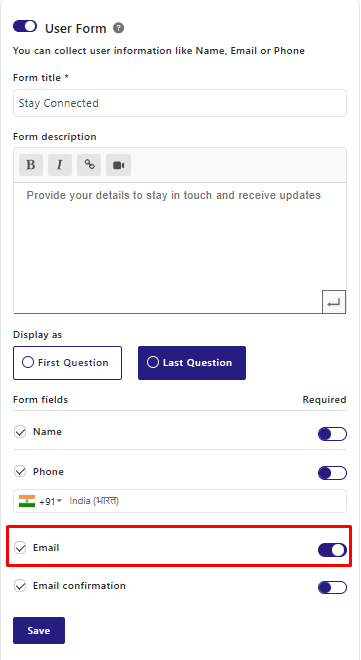
The email field is required for syncing data with GoHighLevel. When a user submits their details through the User Form, Quizify automatically creates or updates the contact in your selected GoHighLevel sub-account.
For the best results, we strongly recommend keeping the email field required to ensure accurate contact syncing and maximize lead collection from your funnel.
Step 2: Connect GoHighLevel from the Integrations Section
Go to the Integrations section from your dashboard. Under the Automation, CRM & Communication category, locate GoHighLevel and click the Connect button.
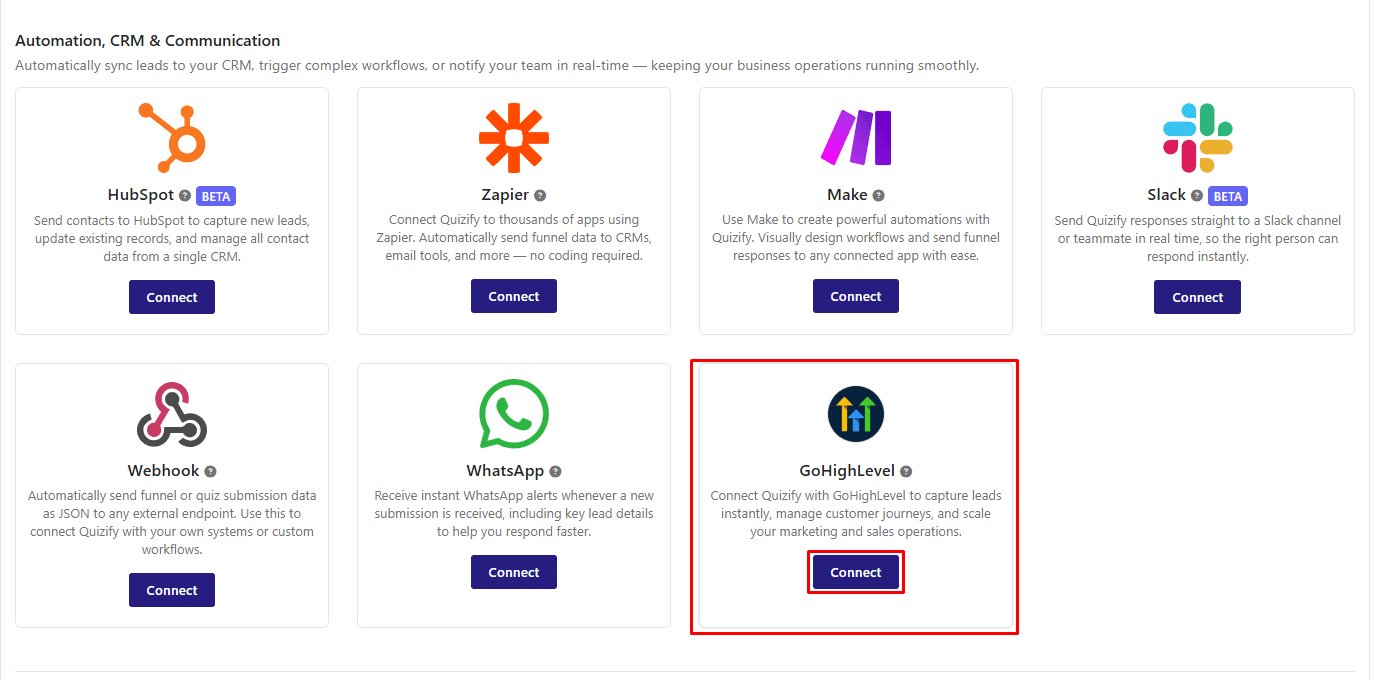
A modal window will open prompting you to connect your GoHighLevel sub-account. Click “Connect with GoHighLevel” to proceed.
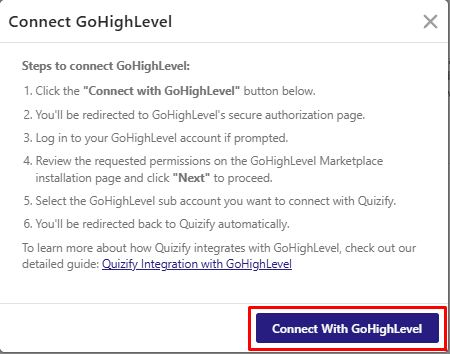
You will be redirected to the GoHighLevel authorization page. Log in to your GoHighLevel account if prompted.Review the permissions required to install the app,
Step 3: Complete the Authorization Process
Click “Connect with GoHighLevel”. You will be redirected to GoHighLevel’s authorization page. Review all the requested permissions required to install the app, then click the Next button to continue.
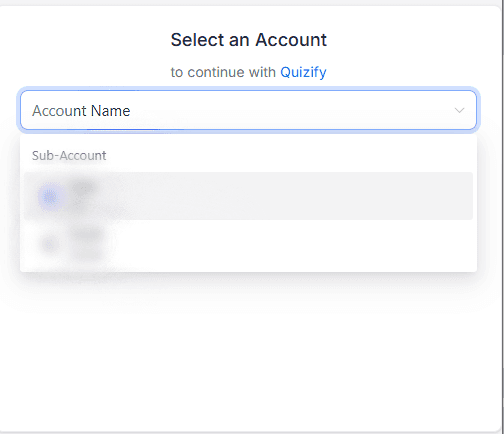
A dropdown list of available sub-accounts will appear. Select the sub-account where you want to install the app and sync your funnel contacts.
Confirm your selection to proceed with the installation.
Once the installation is completed successfully, you will be automatically redirected back to the Quizify.
Why We Need GoHighLevel Permissions
To ensure your funnel contacts are synced accurately and without interruption into GoHighLevel, Quizify requests a few essential permissions:
1. Location Read Access - Allows access to view your sub-accounts so you can select where to install the app.
2. Read Contacts - Checks for existing contacts to avoid creating duplicates.
3. Create & Update Contacts - Enables adding new leads and updating existing contact details, results, and tags.
4. Read & Write Contact Schemas - Allows reading or creating custom fields needed to store funnel data.
Step 4: Start Syncing Funnel Responses
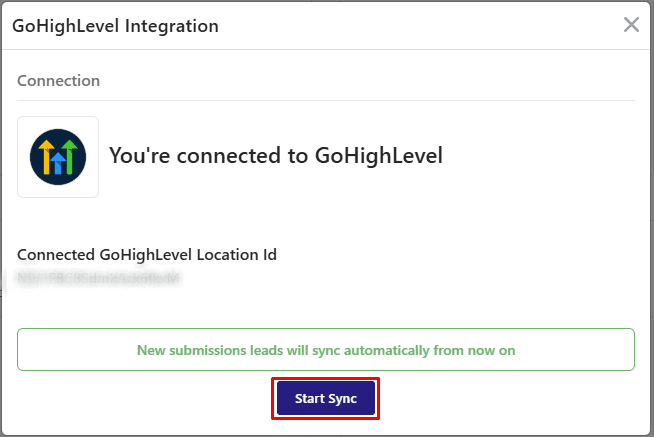
Once the connection is successful, click the Start Sync button to activate contact syncing.
After enabling sync, all new funnel submissions will automatically be sent to your selected GoHighLevel sub-account.
What Data Is Sent to GoHighLevel?
The integration syncs essential contact and funnel data to help you manage leads and trigger automation inside GoHighLevel.
The following information is sent:
Contact Information
Address Details
Website URL
Funnel Result Values
Answer Tags
Funnel Title
Pause Your GoHighLevel Integration
If you want to temporarily stop syncing funnel submissions without disconnecting the integration, you can pause syncing at any time.
Go to the GoHighLevel Integration section.
Click Manage.
Select Pause Sync.
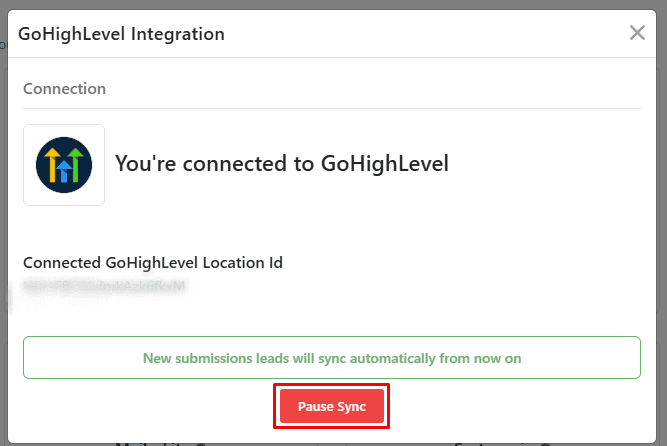
Syncing will stop immediately. You can resume syncing anytime by clicking Start Sync again.
Final Thoughts
Integrating GoHighLevel ensures your funnel submissions are captured instantly as contacts in your selected sub-account. Contact details, funnel results, and related data are automatically synced, eliminating manual data entry and reducing the risk of missed leads. This allows you to manage follow-ups, workflows, and automation directly within GoHighLevel while keeping your lead management process streamlined and organized.
Join our newsletter list
Sign up to get the most recent blog articles in your email every week.
Similar Topic