How to integrate WhatsApp with Quizify
Integration
7 Min Read
Send real-time WhatsApp notifications automatically when users interact with your Quizify funnel, helping you respond faster and capture leads efficiently.
Connecting your WhatsApp account with Quizify allows you to automatically send structured WhatsApp notifications whenever a user interacts with your funnel. This integration supports predefined templates for funnel submission alerts, lead details, address information, or a combination of lead and address data — ensuring the right information is delivered instantly without storing tags or requiring any manual effort, so you can manage and respond to leads quickly and efficiently.
Follow these steps to connect your Quizify funnel with WhatsApp and start syncing responses instantly:
Step 1: Prepare Your Funnel
Start by creating a funnel in Quizify based on the WhatsApp template you plan to use.
The Alert template does not require any user or address details. If you choose a template that includes user information, make sure the User Form collects at least an email or phone number. For address-based notifications, include at least one address field in your form.
Configure your fields according to your selected template to ensure accurate message delivery.
Step 2: Connect WhatsApp with Quizify
Go to the Integrations section in your Quizify dashboard.
Under Automation, CRM & Communication, find the WhatsApp Integration.
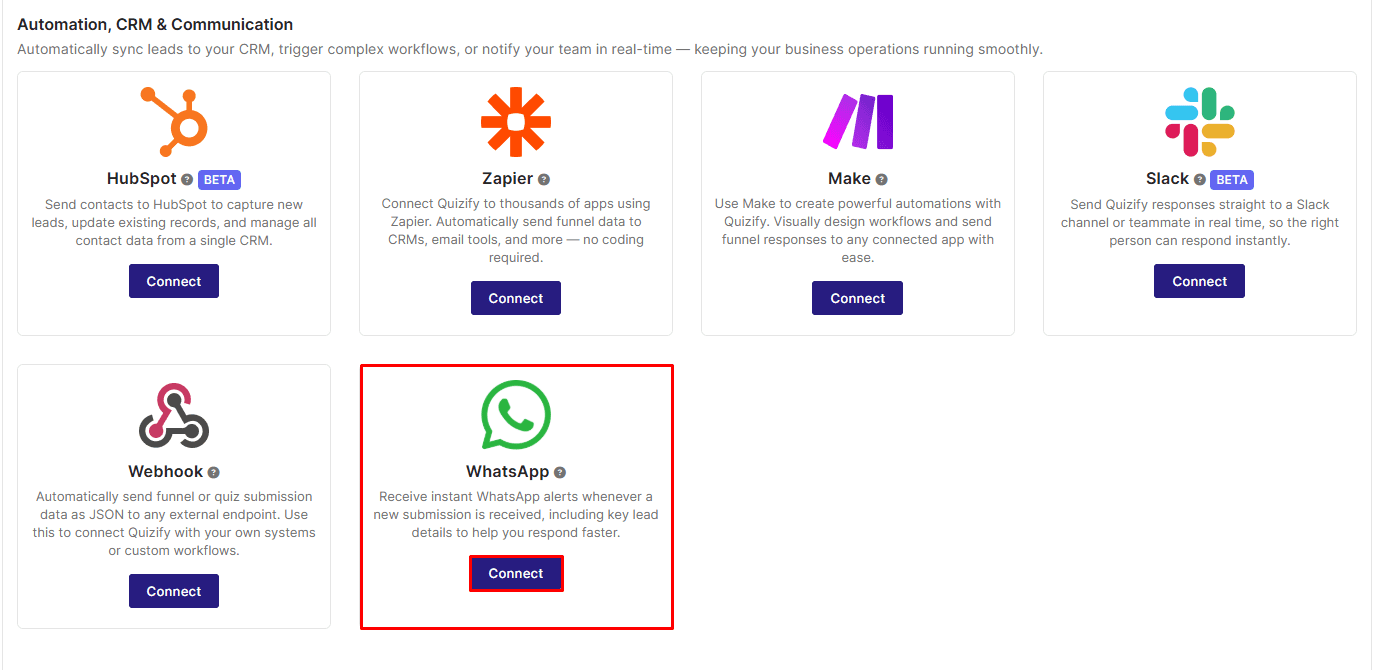
Click Connect — this will open a verification window displaying a QR code and a pre-filled verification message.
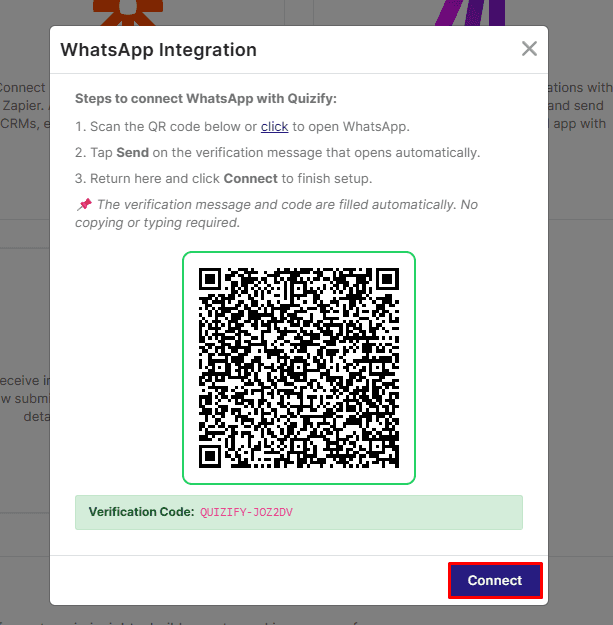
Open WhatsApp by scanning the QR code or clicking the provided link, then send the pre-filled verification message to Quizify.
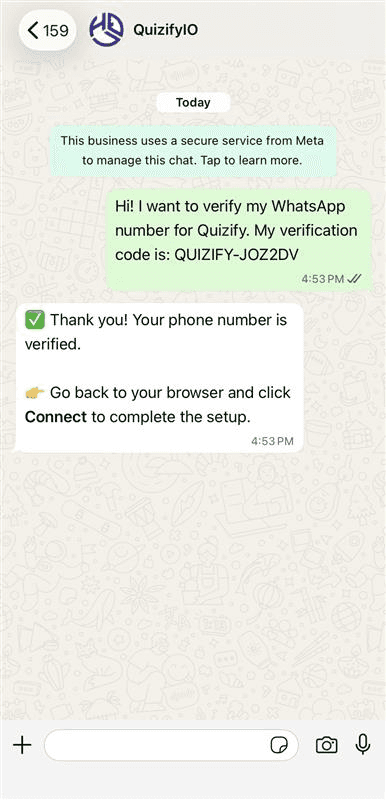
Return to the integration window and click Connect to complete the verification process.
Once verified, your WhatsApp number will be successfully connected and ready to receive funnel notifications instantly.
Step 3: Select Template & Enable Notifications
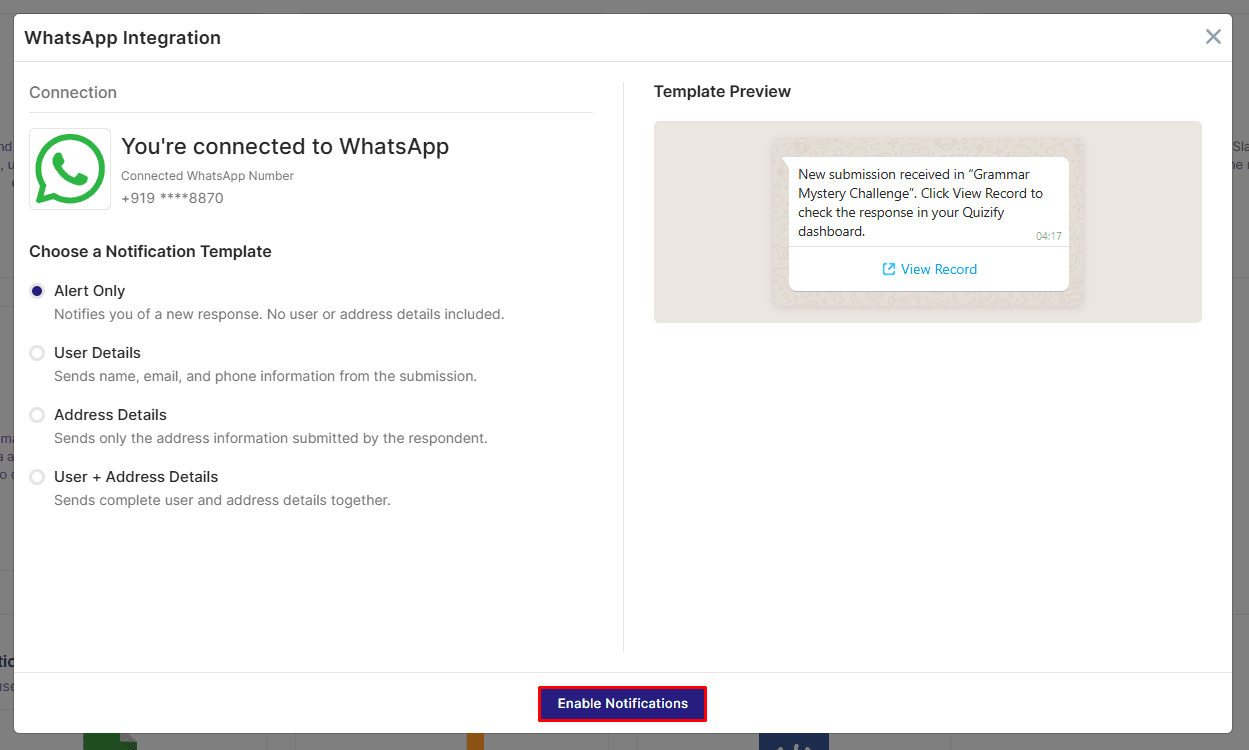
After successfully connecting your WhatsApp number, choose the notification template you want to use for your funnel.
Once selected, click Enable Notifications to activate the integration.
All new funnel submissions moving forward will automatically trigger WhatsApp notifications based on the selected template.
What Data is Sent to WhatsApp?
When a user completes a funnel in Quizify, a WhatsApp notification is sent based on the selected template. The message may include:
Funnel Submission Alert – A simple notification informing you that a new funnel response has been received (no lead or address details included).
User Details – Contact information such as name, email, and phone number (if collected in the User Form).
Address Details – Address-related fields such as house number, street, city, state, postal code, and country (if provided).
User + Address Details – A complete notification including both contact information and address data collected from the funnel.
The exact data sent depends on the template selected before enabling notifications.
Pausing Your WhatsApp Notifications
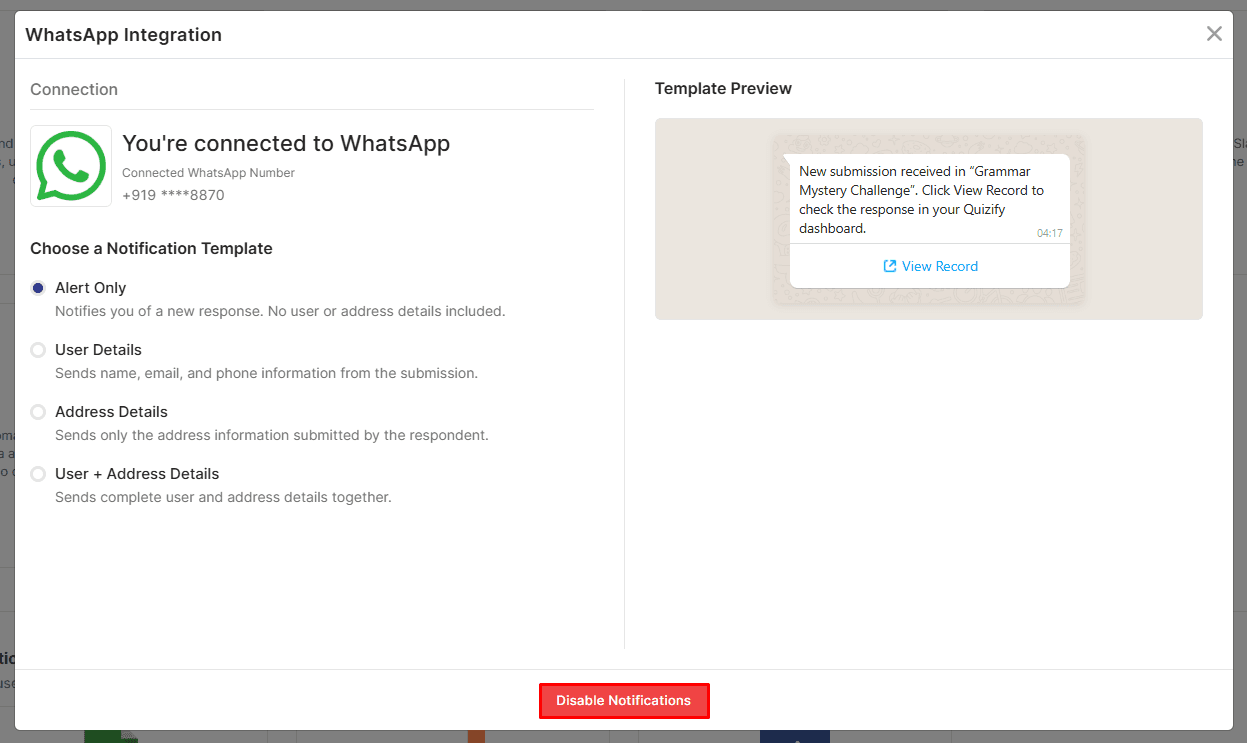
Need a break from WhatsApp notifications? You can disable notifications anytime:
Select WhatsApp Integration
Click Manage
Hit Disable Notifications
Your notifications will be disabled instantly. When you’re ready to receive them again, simply click the Enable Notifications button — and everything will resume with a single click.
Final Thoughts
Integrating WhatsApp with Quizify makes real-time funnel notifications effortless by automatically sending structured submission alerts, user details, address information, or combined data directly to your connected WhatsApp number based on the selected template, eliminating the need to manually check submissions and ensuring you receive important lead information instantly so you can respond faster and manage inquiries more efficiently.
Start connecting your WhatsApp with Quizify today and get notified the moment a new funnel response comes in.
Join our newsletter list
Sign up to get the most recent blog articles in your email every week.
Similar Topic