Quiz vs. Survey vs. Assessment: when to use each Quizify funnel type
Engagement Strategies
12 Min Read
Learn when to use Quizify’s quiz, survey, and assessment funnels to engage users, collect insights, personalize experiences, and generate quality leads.
Introduction to Funnel Types in Quizify
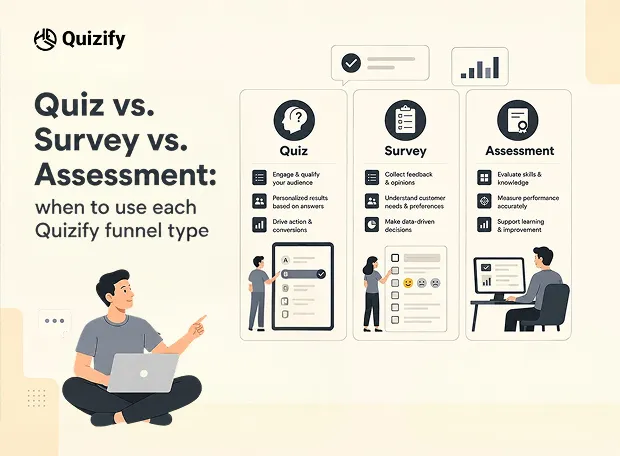
Quizify creates structured paths, known as funnels, for quizzes, surveys and assessments. A funnel describes how users move through questions, how their answers are processed and what result they end up with. The platform supports three main types of funnels: quiz, survey and assessment. Each type has different purposes and requires different logic models.
You can see this structure in your Quizify workspace (Funnel Builder - All Funnels section) where you create new funnels, view submissions, track leads and monitor analytics.
What Is Quiz Funnel?
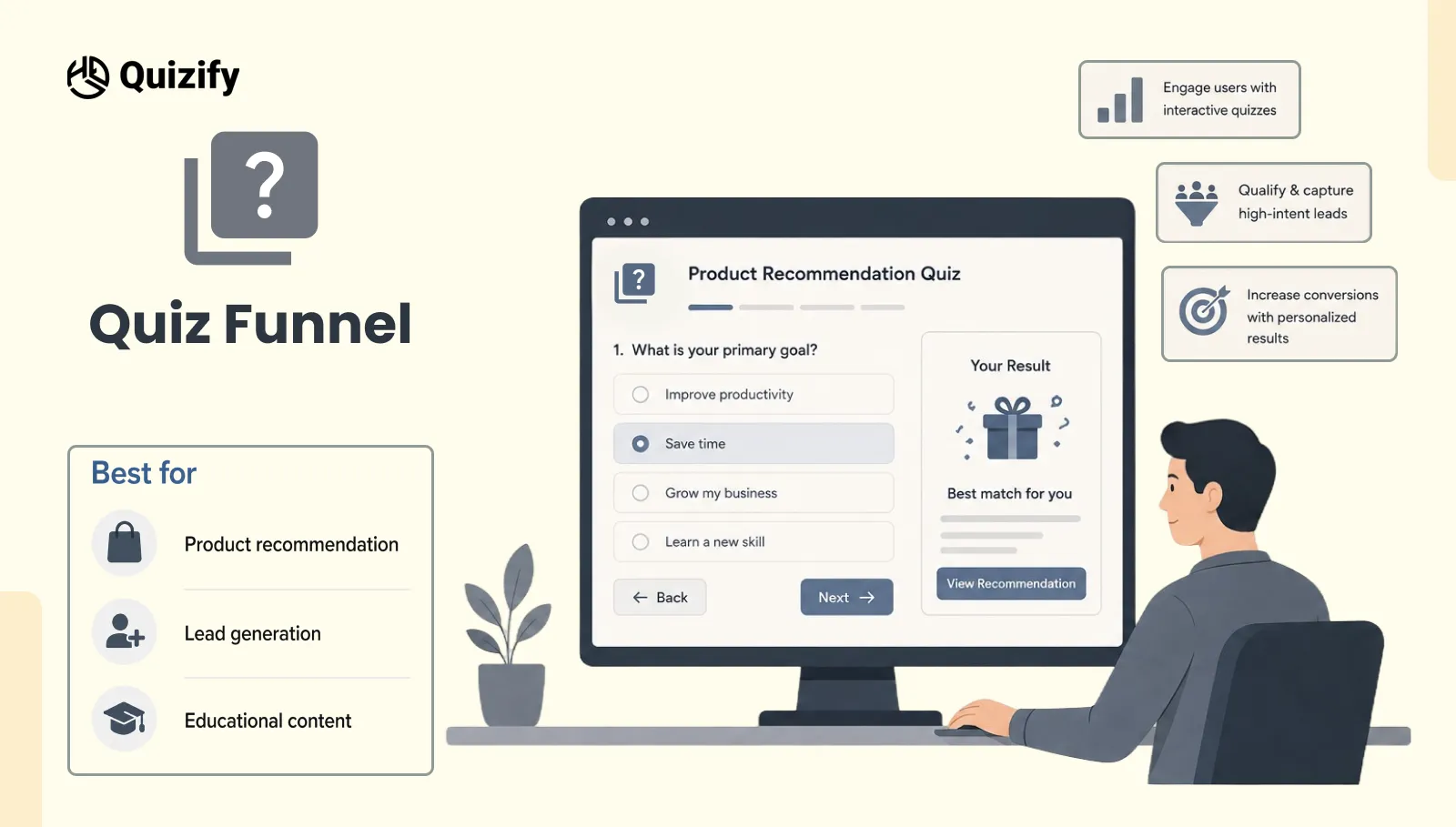
A quiz funnel aims to interact and connect the user with the right product or solution. Such format is interactive and is most often tied with a personalized result based on the user's responses.
Running through Quizify, quiz funnels mostly implement score-based or category-match result logics whereby the user's final outcome changes the answer(s) given..
At the dashboard, you'll notice the New Funnel Quiz with 1 Question and 0 Submission, which represents your initial step in quiz development. When you click on Create funnel and select quiz, quiz funnel becomes your default option.
Generally, quiz funnels are used for:
Product recommendation flows
Lead generation campaigns
Educational content with interactive outcomes
Personalized content or service suggestions
Quiz funnels emphasize involvement and personalized discovery.
What Is a Survey Funnel?
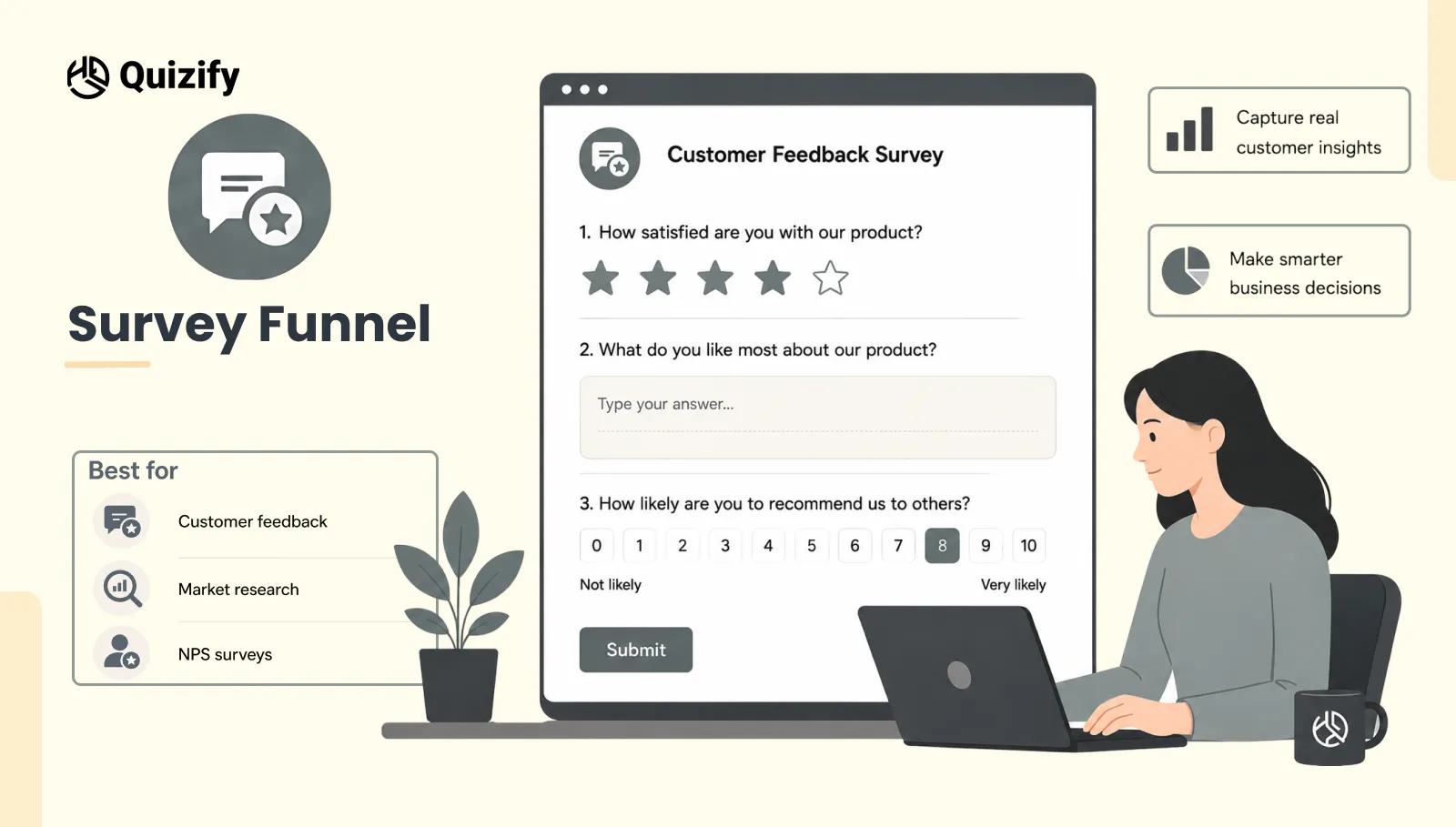
A survey funnel is a tool to gather people's opinions, feedback , likes/dislikes, or even their actions. It is not about suggesting a product or judging a user, instead it's about acquiring structured data that can be examined at a later stage.
Usually, survey funnels in Quizify utilize basic result logic, which means all users get the same result or confirmation after submission.
In your workspace, the Funnel Submissions pane displays the message "No submissions yet" and gives the instruction "Share your funnel link. When someone completes it, submissions will appear here."
This is the idea behind survey funnels: you publish the funnel link, gather responses, and then the data is shown in the submissions table.
People use survey funnels for:
Getting customer feedback
Performing market research
Running satisfaction surveys in the style of NPS
Conducting product feature preference studies
Survey funnels are more focused on getting impartial feedback and gathering organized data.
What Is an Assessment Funnel?
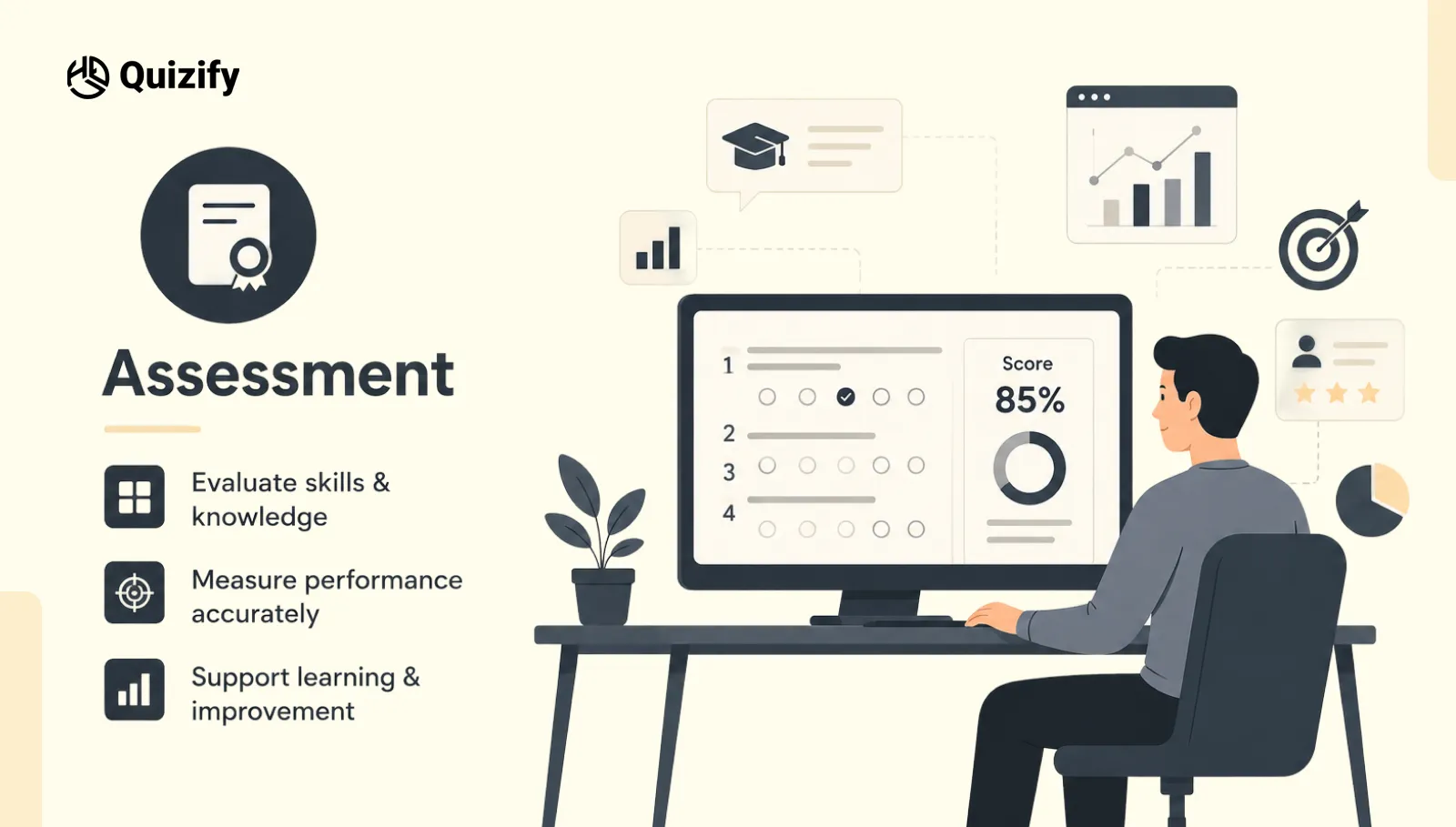
An assessment funnel is a tool to evaluate knowledge fit readiness, or qualification. It views a conversation as a score sheet rather than a recommendation or a feedback collection.
One common way assessment funnels are created in Quizify is by scoring, where answer values are added up and compared to set score ranges to decide the outcome.
Your dashboard will have the following Changelog statement regarding Assessment Mode: "Assessment Mode creates interactive assessments with scoring timers pass/fail rules, and customizable result experiences funnels" This is a new addition that introduces scoring, timers, and pass/fail rules. More precisely, for assessment funnels. It is more evaluative than a quiz.
Generally, assessment funnels support:
Skill/knowledge testing
Readiness check for services or programs
Diagnostic or health-related screening
B2B qualification and tier determination
Assessment funnels concentrate on evaluating the progress and categorizing the users based on their results.
Key Differences Between the Three Funnel Types
The main differences between quiz, survey, and assessment funnels can be summarized by purpose, result logic, and user expectations. The table below highlights how each funnel type behaves in Quizify.
Feature | Quiz | Survey | Assessment |
Primary purpose | Engagement and recommendation | Data collection and feedback | Measurement and evaluation |
Typical result logic | Score-Based or Category Match | Basic | Score with timers and pass/fail |
User expectation | Personalized outcome | Feedback submission | Performance result |
Best for business goal | Lead generation, product matching | Market research, NPS | Qualification and segmentation |
Quizify feature reference | Funnel Builder – New Funnel Quiz | Funnel Submissions section | Assessment Mode |
Content tone at end | Recommendation or advice | Confirmation or thank-you | Score or category result |
These differences affect both funnel behavior and the outcomes users can expect.
When to Use a Quiz Funnel?
A quiz funnel should be used when the brand wants to guide the user toward a personalized recommendation. This is common in ecommerce, wellness, education, and any case where the user needs help choosing among options.
Use a quiz funnel when:
The goal is product or service matching
You want to generate leads through interactive content
The user should receive advice based on their answers
You want to increase engagement through personalization
In your dashboard, you can see the Leads section, which shows "No leads collected" and explains: "View all email contacts collected across your funnels in one place."
Quiz funnels are strong for lead generation because they collect emails through the user form, and the Leads section tracks all collected contacts across funnels. Results should guide users toward relevant next steps.
When to Use a Survey Funnel?
A survey funnel should be used when the brand needs to collect opinions or data. It is not designed to recommend anything or evaluate performance. The user simply provides information that the brand can analyze.
Use a survey funnel when:
The goal is customer feedback or market research
You want to measure satisfaction or preferences
You need clean data for reporting or segmentation
The brand needs honest input without a sales push
From your dashboard, the Analytics - Overview section shows metrics like Views, Starts, Submissions, Completion Rate, Leads, and Emails Sent. This is where survey funnel data appears after submissions are collected.
The funnel summary table also shows "Total funnel submission, "Left funnel incomplete," and "Completed funnel" counts.
Survey outcomes usually focus on confirmation rather than personalization.
When to Use an Assessment Funnel?
An assessment funnel should be used when the business needs to measure or classify the user. This is common in training, coaching, B2B onboarding, and diagnostic tools.
Use an assessment funnel when:
The goal is to test knowledge or skill
You need to qualify users into tiers or segments
The brand needs a score or category from the interaction
The result must reflect performance or status
Your dashboard references Advanced Assessment Controls under the Growth plan: "Everything in Basic, 3 User seats, Custom Subdomain, Dynamic scoring & personalized results, Advanced Assessment Controls."
This means assessment funnels with advanced scoring and pass/fail rules are available on the Growth and Pro plans. Assessment results should clearly communicate performance levels.
How Funnel Logic Works in Quizify?
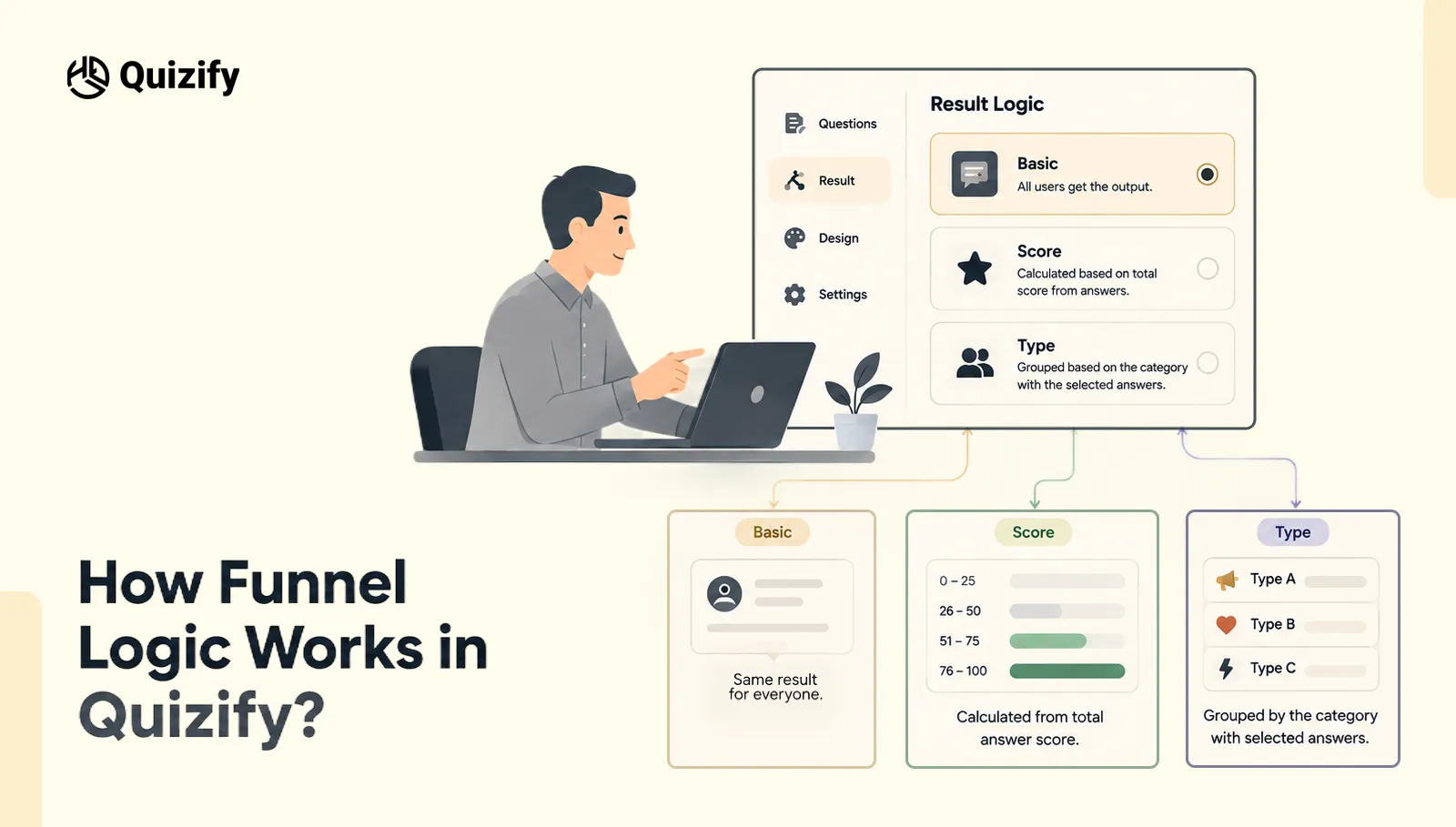
In Quizify, funnel logic is defined in the funnel editor. You must choose result logic between Basic, Score-Based, and Category Match. The choice determines how the result is calculated and displayed.
Basic: All users get the output. The output does not change based on user interactions.
Score-Based: The total score from answers is calculated. It is then compared to predefined score ranges.
Category Match: Users are grouped based on the category with the selected answers. This helps in understanding user preferences. Your dashboard includes Logic jumps under the Basic plan.
The features are:
AI funnel creator
Question importer
Logic jumps
Export submissions
Leads
This means you can set question paths. These paths are based on answers. Result logic controls how responses are processed. It also controls how they are displayed.
Business Use Cases for Each Funnel Type
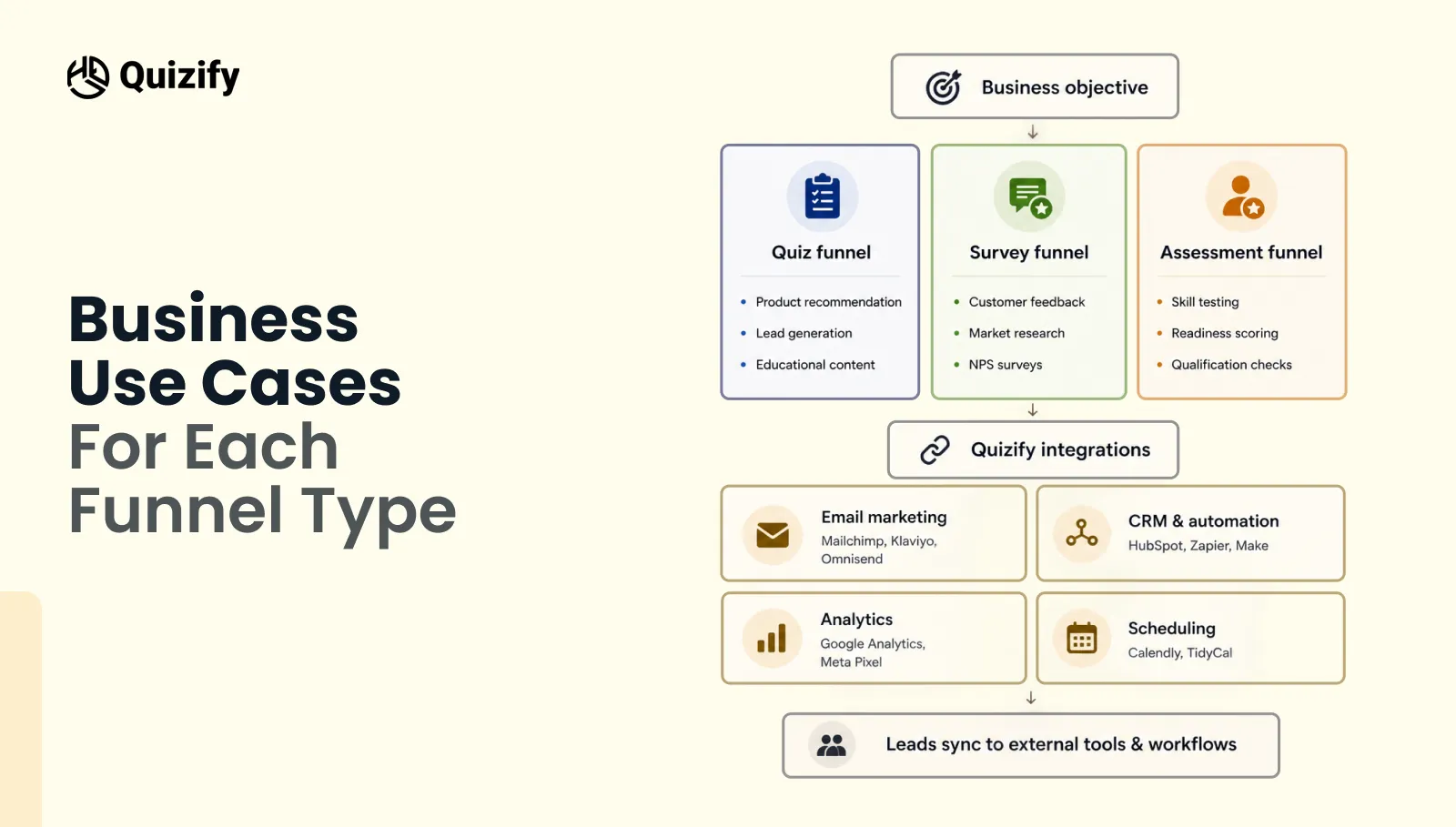
Each funnel type fits different business scenarios:
Quiz: Product recommendation, lead gen, educational content
Survey: Customer feedback, market research, NPS
Assessment: Skill test, readiness score, qualification check
Your dashboard supports integrations for all funnel types. You can connect different tools under the Integrations section.
Integration Category | Available Tools |
Email Marketing | MailChimp, Klaviyo, Omnisend, Active Campaign, Brevo, MailerLite, Systeme.io, Kit |
CRM & Automation | HubSpot Beta, Zapier, Make, Slack Beta, Webhook, WhatsApp, GoHighLevel |
Analytics | Google Sheets, Google Analytics, Facebook/Meta Pixel |
Scheduling | Calendly, Tidy Cal |
These integrations allow leads from any funnel type to sync with external tools and workflows.
Technical Considerations in Funnel Setup
The way the funnel runs can be affected by the technical setup. Check a few things before you publish the funnel:
Select the result logic you want to use
Add score ranges or categories
Configure how submissions are sent or stored
Test your funnel before publishing
Quizify has a few setup features as well:
Webhooks: Post submission data to other tools
Drop-off Tracking: See where users are leaving the funnel
Prefill Abandoned Funnels: Show saved answers when users come back
Lead Validation: Validate email addresses
These features can help you to manage the funnel and the data captured from it.
Choosing the Right Funnel for Your Objective
In the end, the funnel that works best is the one that not only fits the intent of the users but also matches the business goals. For instance, a quiz is the best choice if the goal is to recommend something.
But, use a survey if the goal is to gather feedback, and if it is measurement then go for assessment. It's such a simple rule yet very effective.
Your dashboard supports you with this by displaying:
Funnel Builder: The place for creating quiz, survey, or assessment funnels
Submissions: The location for completed funnel data
Leads: Where the email contacts collected are stored
Analytics: The place to track Views Starts Submissions, and Completion Rate
Integrations: The point of connecting funnel data to external tools
Aligning funnel selection with user intent & business goals is the key to success.
Conclusion
Quizify funnels are more than simple forms. On the other hand, they are designed in ways that combine user experience and technical logic efficiently.
To identify the type of funnel that will increase engagement and improve the quality of data and marketing performance.
Quizify provides funnel logic, analytics and integrations to create a simple workflow for a variety of business needs.
The right way is to first identify the goal, and then choose the funnel type which best helps that goal. Quiz, survey and assessment all have different purposes and should be used in their respective contexts.
FAQs
1. Can I switch to another funnel type later?
Yes you can switch to another funnel type later if you need to. You might have to update some things after you make the switch.
2. Do I need to collect email addresses in every funnel?
No you do not need to collect email addresses for every funnel. You can collect email addresses if you want to.
3. Can I share my funnel outside Quizify?
Yes you can share your funnel outside Quizify. You can share the link to your funnel. You can add it to your website.
4. How can I check if people are completing my funnel?
You can look at the numbers of people who view your funnel, start it and submit it to see what people are doing with your funnel.
5. Can I send funnel data to apps?
Yes you can send your funnel data to apps. Quizify lets you send your funnel data to tools and apps that you use.
Join our newsletter list
Sign up to get the most recent blog articles in your email every week.
Similar Topic